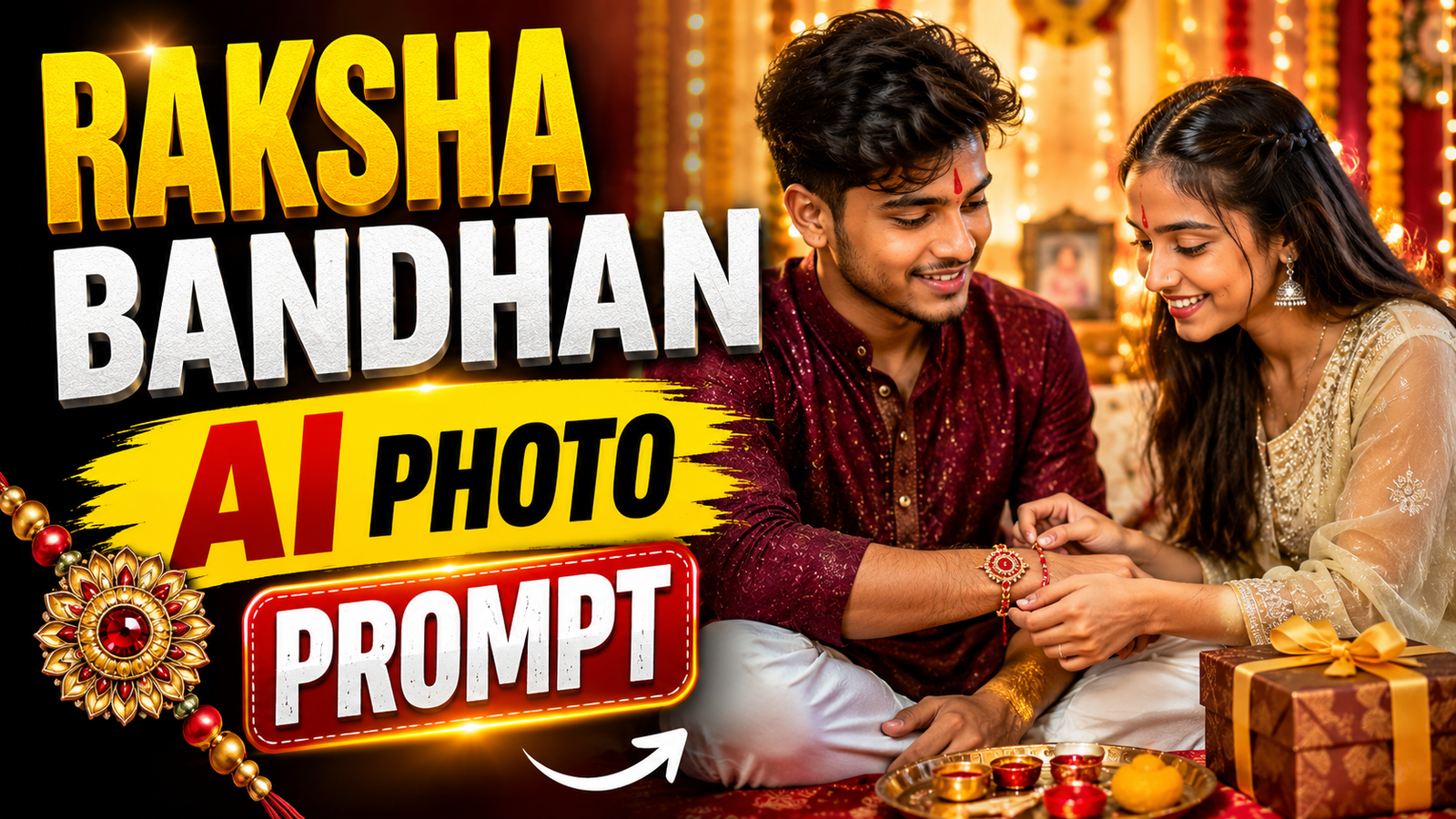
Raksha Bandhan is all about the special bond between brothers and sisters. Rakhi, sweets, traditional clothes, family moments and lots of photos make this festival memorable every year. In 2026, AI is adding a new creative touch to these celebrations. With Raksha Bandhan AI Photo Prompts, you can turn a normal sibling photo into a beautiful festive portrait using tools like ChatGPT and Gemini.
You can create a traditional Rakhi ceremony, a cinematic brother-sister portrait or a simple festive photo for Instagram and WhatsApp. The interesting part is that you don’t need a professional photoshoot or complicated editing. A clear photo and the right instructions can be enough to experiment with different looks.
In this article, we’ll see how to create Raksha Bandhan AI photos and what can make them look more natural.
How to Create Raksha Bandhan AI Photos With ChatGPT
Creating a Rakhi photo with ChatGPT is quite simple.
Step 1: Choose a Clear Photo
Select a good-quality brother-sister photo. Make sure both faces are clearly visible and avoid blurry or heavily filtered pictures.
Step 2: Open ChatGPT
Open ChatGPT and sign in to your account.
Step 3: Upload Your Photo
Tap the + icon and select the photo you want to edit.
Step 4: Add Your Instructions
Enter your Raksha Bandhan photo instructions. You can choose the outfit, background, Rakhi celebration style, lighting and other details.
Step 5: Generate Your Photo
Send your instructions and wait for the image to be created.
Step 6: Check the Image
Look closely at the faces, hands, fingers, Rakhi and outfits. If something appears unusual, request a correction for that specific detail.
Step 7: Save the Final Photo
Once you’re satisfied with the image, save it to your device.

A natural smartphone photo, shot on iPhone, of an Indian brother giving a beautifully wrapped big gift box to his sister after she tied the Rakhi. The sister is smiling brightly, looking surprised. The sister is wearing a traditional yellow festive saree and the brother is in a white cotton kurta. Close-up on their joyful faces, showing real skin textures, natural lighting, and authentic expressions. The background shows a warm, decorated Indian bedroom with a bed. Photorealistic, genuine family moment, no plastic Al effect 3:4 ratio

A realistic iPhone photo focusing on an Indian brother’s wrist with a beautiful handcrafted traditional Rakhi tied to it. In the background, the brother and sister are sitting close on a bedroom couch, looking at the Rakhi with wide, proud smiles. The brother wears a red Nehru jacket over a white kurta, and the sister is in a royal blue festive kurti. The camera captures sharp details of the Rakhi thread and real human skin texture on the hand and faces. Nearby, an opened gift box with premium chocolates is visible. Casual, real-life social media post style. 3:4 ratio

A unique slightly high-angle lifestyle photo shot on iPhone of a Raksha Bandhan ritual. The sister is gently applying a red tilak on her brother’s forehead. They are sitting cross-legged on a beautifully made bed in a minimalist Indian bedroom. The sister is wearing a mint green ethnic suit and the brother is in a mustard yellow kurta. Sharp medium close-up focusing on the tilak moment, showing detailed facial expressions, real skin pores, and natural indoor shadows. A premium gift hamper and a wooden Rakhi platter sit in front ofthem. Unedited, organic smartphone capture. 3:4 ratio

An authentic candid picture, shot on iPhone 15 Pro,capturing a Raksha Bandhan moment in an Indian bedroom. The sister, wearing a festive red Anarkali suit, is lovingly feeding a piece of sweet (mithai) to her brother. The brother, dressed in a royal blue ethnic kurta, is smiling warmly. Medium close-up shot with sharp focus on their faces, highlighting natural skin pores, realistic shadows, and genuine emotions. Gift boxes are visible on the bed in the foreground. Clean, unedited smartphone camera look. 3:4 ratio
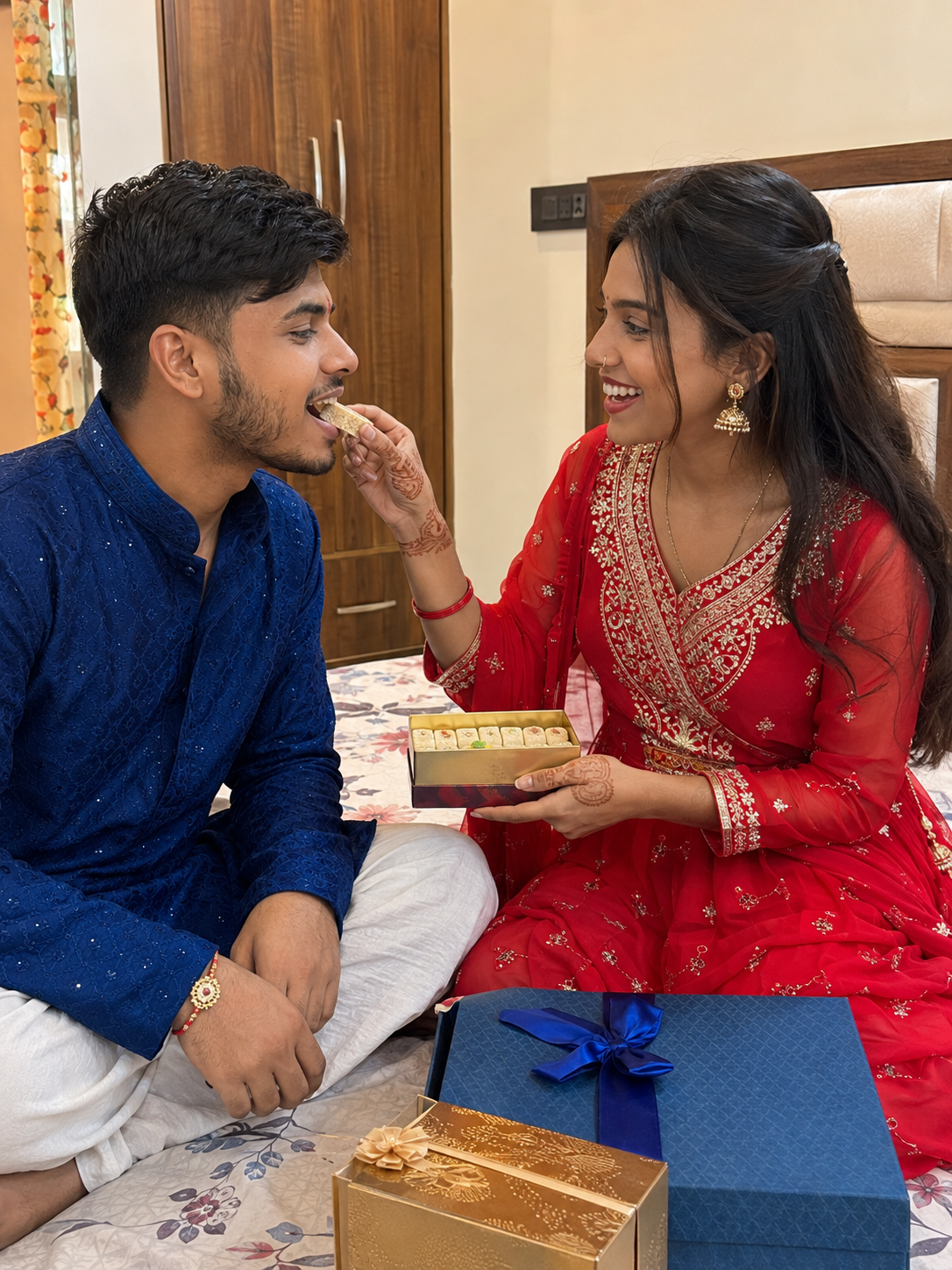
An authentic candid picture, shot on iPhone 15 Pro, capturing a Raksha Bandhan moment in an Indian bedroom. The sister, wearing a festive red Anarkali suit, is lovingly feeding a piece of sweet (mithai) to her brother. The brother, dressed in a royal blue ethnic kurta, is smiling warmly. Medium close-up shot with sharp focus on their faces, highlighting natural skin pores, realistic shadows, and genuine emotions. Gift boxes are visible on the bed in the foreground. Clean, unedited smartphone camera look. 3:4 ratio
Why Raksha Bandhan AI Photos Are Interesting
Earlier, festival photo editing usually meant adding frames, stickers, text or filters. AI gives users more freedom because it can create an entirely new environment around an existing portrait.
A simple sibling photo can become a traditional Rakhi celebration with ethnic outfits, flowers, sweets, diyas and warm lights.
You can also keep things minimal. Instead of creating a heavily decorated festival scene, a simple brother-sister portrait with traditional clothing and soft festive lighting can look equally attractive.
This flexibility makes AI photo editing useful for people who want personalized festival content rather than the same ready-made templates.
What Makes a Good Raksha Bandhan AI Photo?
A good AI image doesn’t need dozens of decorative elements.
The brother and sister should remain the main focus. Rakhi, sweets, flowers, diyas and other decorations should support the scene rather than make it crowded.
Traditional clothing can instantly create a festive appearance. A brother can wear a kurta while the sister can be styled in a saree, lehenga or traditional suit.
Expressions are equally important. A natural smile or a simple Rakhi-tying moment can feel more genuine than an overly dramatic pose.
Lighting should also match the environment. Warm indoor lighting works nicely with home celebrations, while soft daylight can suit outdoor or courtyard scenes.
How to Make AI Rakhi Photos Look Realistic
Always start with a clear reference photo. Better facial visibility gives the AI more information to work with.
Hands deserve special attention because Raksha Bandhan photos often show the sister tying Rakhi on her brother’s wrist. Check fingers, wrists and Rakhi placement carefully before using the final image.
Also avoid overcrowding the background. Too many flowers, lights, diyas and decorations can make the photo look artificial.
A simpler background with a Rakhi thali, a few flowers and warm festive lights can often produce a cleaner result.
Which Image Ratio Should You Choose?
The best ratio depends on where you want to post your photo.
4:5 works well for Instagram feed posts because it provides a balanced vertical portrait.
For Instagram Stories, Reels, YouTube Shorts and WhatsApp Status, choose 9:16.
If you’re creating a YouTube thumbnail or website banner, 16:9 is the better landscape format.
Choosing the ratio before generating the image can also prevent important parts of the photo from being cropped later.
Keep the Raksha Bandhan Feeling Natural
AI can create impressive decorations and cinematic effects, but Raksha Bandhan photos don’t need to look like movie posters.
The emotional connection between the brother and sister should remain at the center of the image.
Traditional elements such as Rakhi, sweets, flowers and a puja thali can make the festival recognizable without making the composition too busy.
Simple details, natural expressions and balanced lighting can often make the final image more convincing.
Frequently Asked Questions
Can I use my own photo?
Yes. You can use a clear personal photo as a reference where the AI tool supports image-based creation or editing.
Can I create Raksha Bandhan photos with Gemini?
Yes, you can experiment with Raksha Bandhan-themed images using the relevant image features available in Gemini.
Which photo gives better results?
Use a clear, well-lit photo where both faces are properly visible.
Can I change the clothes and background?
Yes. You can experiment with traditional outfits, festive backgrounds, lighting and different visual styles.
Which ratio is best for social media?
Use 4:5 for Instagram posts and 9:16 for Reels, Stories, Shorts and WhatsApp Status.
Final Thought
Raksha Bandhan AI Photo Prompts 2026 offer a creative way to give ordinary brother-sister photos a festive look. ChatGPT and Gemini can help create traditional Rakhi scenes, cinematic portraits and social-media-ready images without complicated manual editing.
For better results, keep the reference photo clear, decorations simple and expressions natural. The AI can change the visual style, but the sibling bond should always remain the main focus of the Raksha Bandhan photo.
What do you feel about this post?

Like

Love

Happy

Haha

Sad