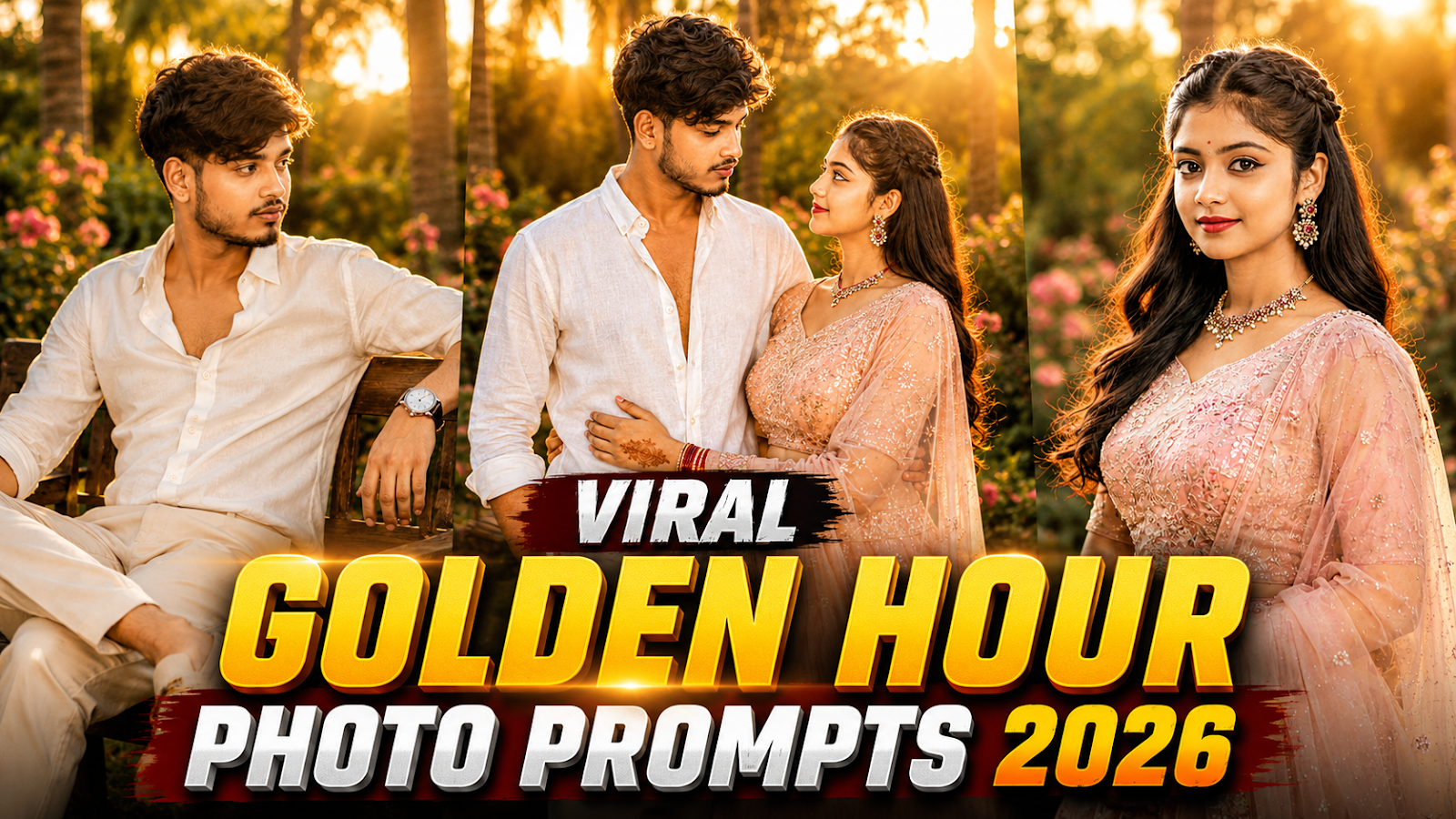
Some photos look beautiful because of the outfit. Others stand out because of the location. But golden hour portraits have something different—the warm sunlight, glowing background, soft shadows and natural colors can turn a simple portrait into something that feels cinematic.
That is exactly why the Golden Hour Photo Prompt style is worth trying in 2026. You can take an ordinary portrait and use an AI image tool to recreate it as a premium garden photoshoot featuring sunset lighting, flowers, palm trees and professional DSLR-style depth.
The best part is that this style works equally well for boys, girls and couples.
In this guide, I’m sharing 5 Golden Hour Photo Prompts along with a simple method for using your own reference photo.
What Is the Golden Hour Photo Trend?
Golden hour is the period around sunrise or sunset when sunlight appears warmer and softer than harsh daytime light.
In portrait photography, this type of lighting can create a warm glow around the subject, softer-looking shadows and attractive backlighting.
The AI version of this idea combines those photography characteristics with detailed prompts. Instead of simply asking an image generator to “make my photo cinematic,” we describe the location, clothes, lighting, camera perspective and background.
For this particular style, we are combining:
- Tropical garden scenery
- Warm sunset backlighting
- White and pastel outfits
- Flowers and greenery
- Natural poses
- Shallow depth of field
- Soft background bokeh
- Editorial portrait photography
The result can resemble a professionally planned outdoor photoshoot when the reference image and prompt work well together.
5 Golden Hour Photo Prompts for 2026
Before using any prompt, upload a clear reference photograph where the face is easily visible. A sharp, front-facing or slightly angled portrait generally gives the image model more useful facial information than a dark or heavily blurred photo.
Prompt 1 – Golden Hour Boy Portrait

Prompt:
Use the uploaded photo as the facial reference and preserve the person’s recognizable facial features, hairstyle, skin tone, and natural appearance. Create a premium cinematic portrait of a young man standing confidently in a beautiful tropical garden during golden hour. He is wearing a clean white linen shirt with sleeves casually rolled up and elegant beige trousers, one hand inside his pocket. Warm sunset light shines through tall palm trees behind him, creating natural rim lighting around his hair. Add lush greenery, subtle pink flowers, creamy background bokeh, realistic skin texture, soft shadows, shallow depth of field, 85mm DSLR photography, editorial fashion photography, photorealistic, HDR, vertical 4:5.
This prompt is a good choice when you want a clean and minimal male portrait rather than an overly dramatic edit.
Prompt 2 – Pastel Lehenga Girl Portrait
Prompt:
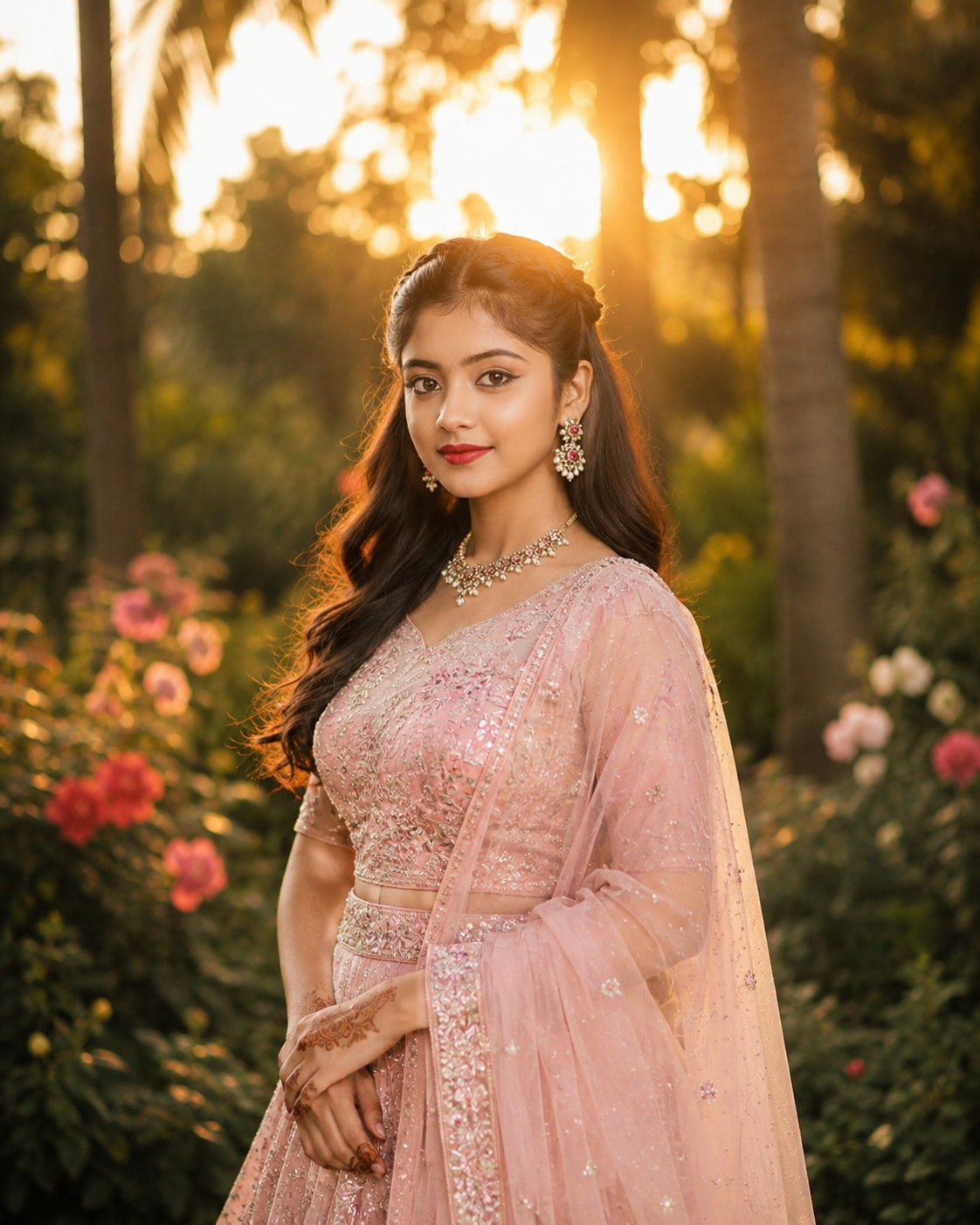
Use the uploaded photo as the facial reference and maintain her recognizable facial features, natural skin tone, hairstyle, and appearance. Create an elegant cinematic portrait of a young woman standing in a dreamy garden at sunset, wearing a luxurious pastel blush-pink lehenga with delicate embroidery and a lightweight matching dupatta. Her long hair flows naturally over one shoulder, with elegant earrings and minimal jewelry. She gently holds the edge of her dupatta while looking slightly toward the camera. Warm sunlight filters through palm trees, creating beautiful golden rim light, soft floral bokeh, natural skin texture, realistic fabric details, shallow depth of field, premium DSLR portrait photography, 85mm lens, HDR, photorealistic, vertical 4:5.
The combination of a pastel outfit and warm background works especially well because the subject remains distinct from the darker garden greenery.
Prompt 3 – Golden Hour Couple Portrait
Prompt:
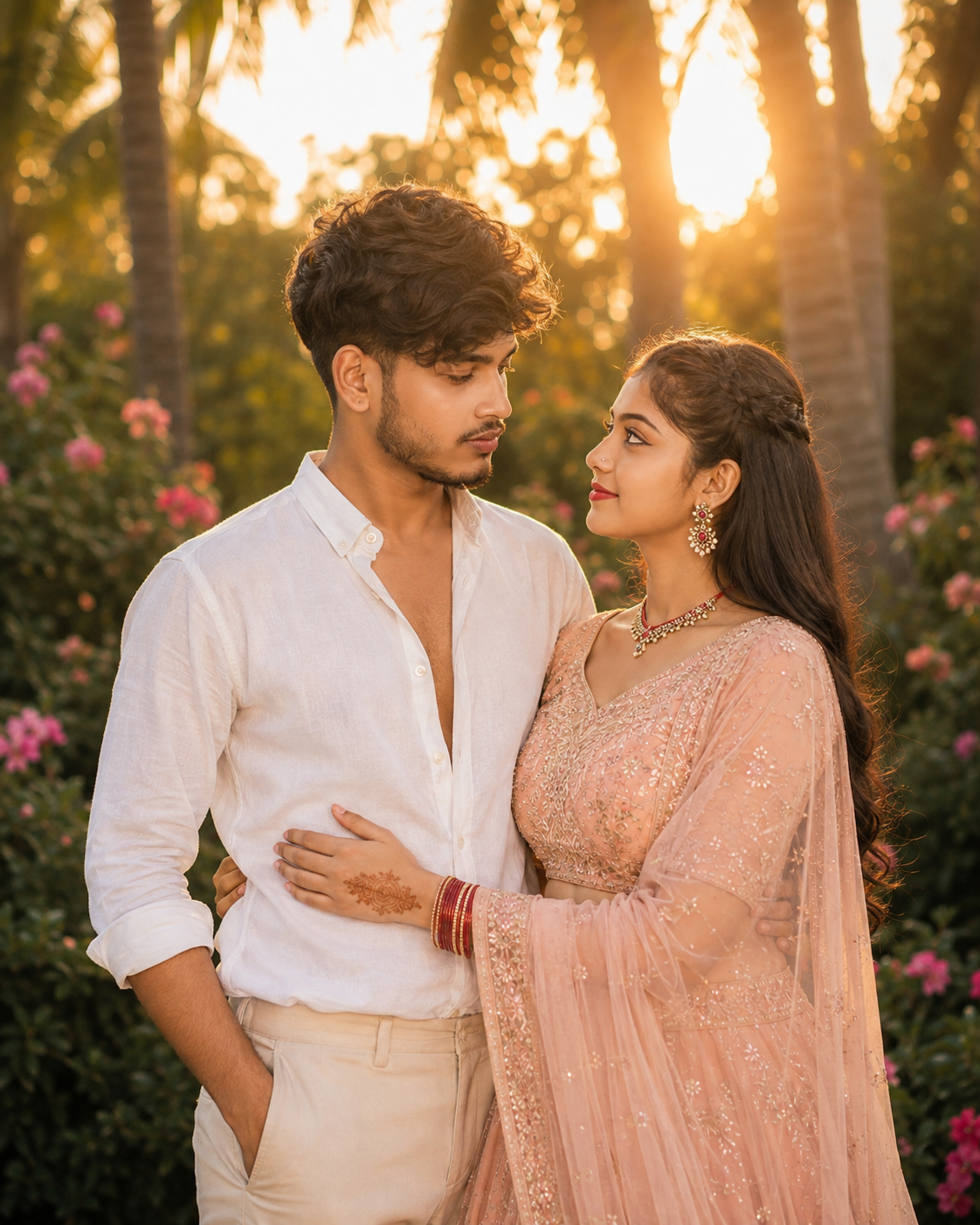
Use the uploaded photos as facial references for both people and preserve their recognizable natural facial features, hairstyles, skin tones, and appearances. Create a tasteful cinematic couple portrait in a luxurious tropical garden during golden hour. The man wears a relaxed white linen shirt and beige trousers while the woman wears an elegant pastel peach embroidered lehenga with a flowing dupatta. They stand close together, naturally looking at each other with warm expressions, with one arm gently around the other’s waist. Golden sunlight glows behind them through tall palm trees, creating soft rim lighting, dreamy floral bokeh, realistic fabric textures, natural skin details, shallow depth of field, premium editorial photography, 85mm DSLR lens, photorealistic HDR, vertical 4:5.
For a couple image, upload clear photos of both people. This gives the generator separate visual references instead of forcing it to infer one person’s appearance.
Prompt 4 – Luxury Garden Bench Portrait
Prompt:
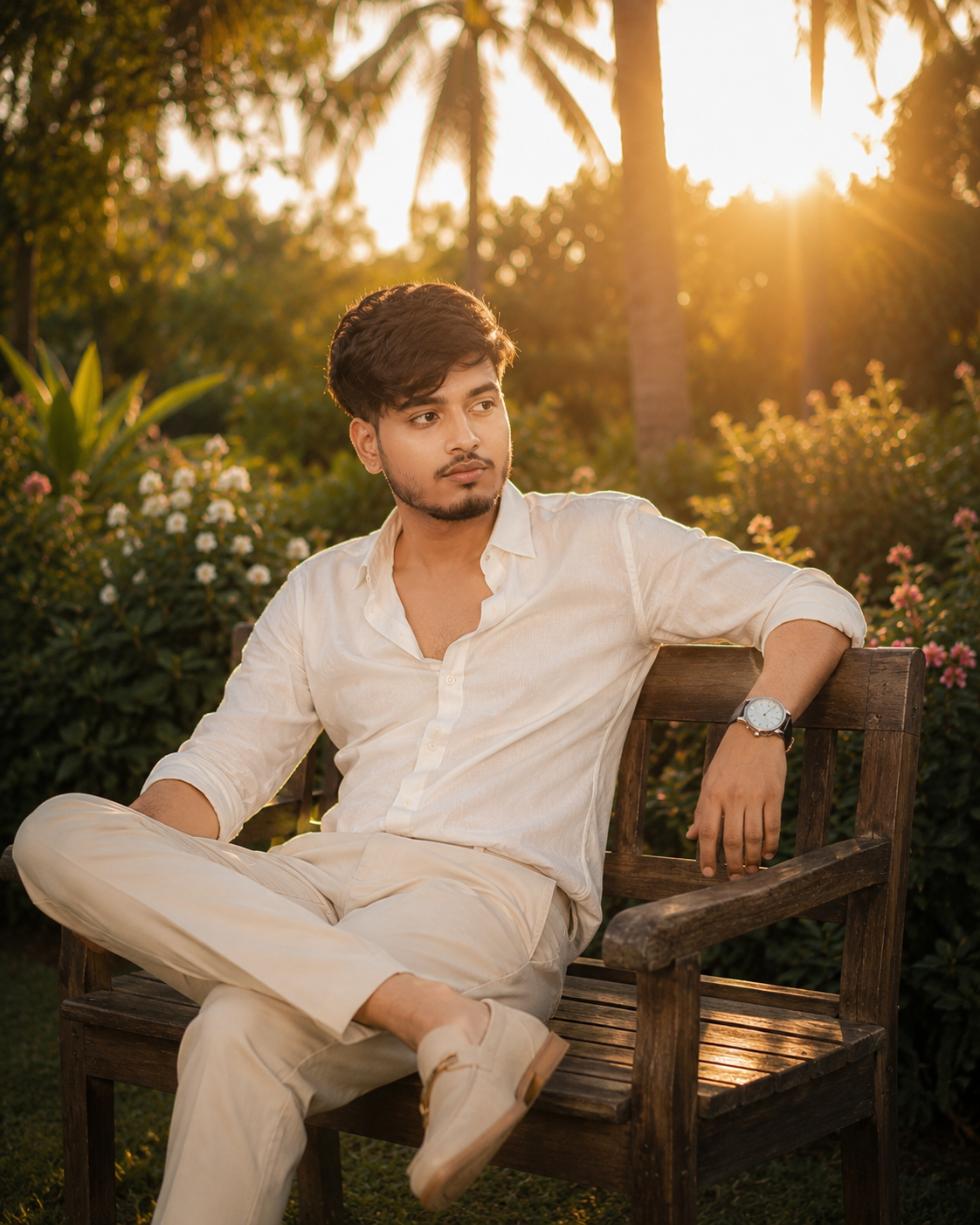
Use the uploaded photo as the facial reference and preserve his recognizable face, hairstyle, skin tone, and natural appearance. Create a sophisticated cinematic portrait of a young man sitting casually on a vintage wooden garden bench surrounded by tropical greenery and small flowers. He wears an ivory linen shirt, beige tailored trousers, a minimal wristwatch, and clean neutral-toned shoes. His posture is relaxed and confident as he looks slightly away from the camera. Place the setting sun behind the palm trees for warm golden backlighting, natural hair highlights, atmospheric glow, creamy bokeh, realistic clothing folds, detailed skin texture, shallow depth of field, luxury lifestyle editorial photography, 85mm lens, photorealistic HDR, vertical 4:5.
Unlike the first prompt, this one uses a seated composition. That small change makes the final photo feel like a completely different photoshoot.
Prompt 5 – Couple Walking in a Flower Garden
Prompt:
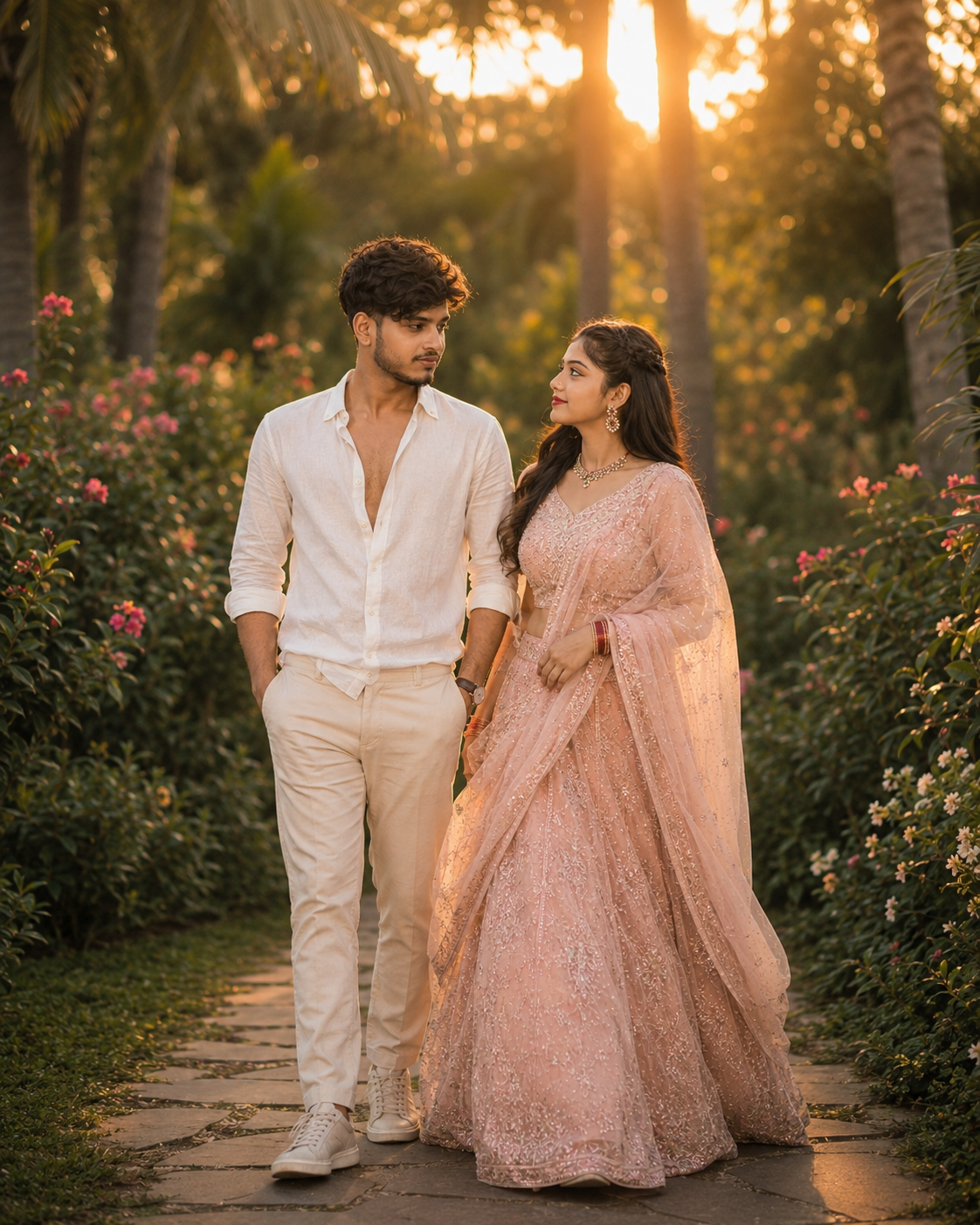
Use the uploaded photos as facial references for both people, maintaining their recognizable facial features, hairstyles, skin tones, and natural appearances. Create a cinematic full-body portrait of a young couple slowly walking together through an elegant flower garden during sunset. The man wears a crisp white linen shirt with beige trousers, while the woman wears a flowing pastel blush traditional outfit with delicate embroidery and a lightweight dupatta moving naturally in the evening breeze. They walk side by side with relaxed, cheerful expressions. Surround them with palm trees, flowering plants and soft greenery. Add warm sunset backlight, golden rim lighting, realistic fabric movement, subtle lens glow, creamy background bokeh, natural skin texture, cinematic depth of field, premium DSLR editorial photography, photorealistic HDR, vertical 4:5.
This version is useful when you don’t want another static standing portrait. The walking pose adds movement to the composition while maintaining the same golden-hour aesthetic.
How to Create a Golden Hour Photo Using Your Own Picture
The process is simple. Open an AI image generator that supports reference images, upload a clear photograph, and paste one of the prompts above.
Then generate the image and inspect the face, hands, clothing and background carefully.
If the result looks good but the face has changed too much, avoid adding dozens of extra instructions. Instead, use a clearer reference photograph and emphasize maintaining recognizable facial characteristics.
For couple images, provide a clear reference for each person.
Recommended Aspect Ratios
For Instagram-style portraits, 4:5 works particularly well because it gives the person plenty of vertical space without becoming as tall as a Story or Reel.
For different uses:
Instagram feed: 4:5
Reels/Shorts: 9:16
Blog/YouTube thumbnail: 16:9
Changing the aspect ratio can also change the composition, so mention the desired ratio directly in your prompt.
Why Does the 85mm Portrait Look Work So Well?
You’ll notice that these prompts mention an 85mm lens.
An 85mm focal length is commonly associated with portrait photography because it can provide flattering perspective while allowing photographers to separate the subject visually from the background.
For AI generation, terms such as 85mm portrait photography, shallow depth of field and creamy bokeh mainly communicate the visual aesthetic we’re trying to achieve.
They aren’t magic keywords, though. A strong prompt still needs clear instructions about the subject, lighting, environment and composition.
How to Get More Natural Results
One common mistake is trying to make every element “ultra dramatic.”
Too much lens flare, extreme HDR, excessive skin smoothing and complicated lighting can make a portrait look artificial rather than professional.
Keep the important details specific: describe the clothes, pose, location and direction of the sunlight. Let smaller background details remain subtle.
A good reference photo matters just as much as the written prompt.
Try using an image with a clearly visible face, natural expression and adequate lighting. Avoid screenshots that have already been heavily filtered or compressed whenever you have a better original available.
Can You Customize These Prompts?
Absolutely.
You don’t have to recreate the exact pink-and-white aesthetic shown here.
For example, you can replace:
“pastel blush-pink lehenga” with emerald green traditional outfit.
Replace:
“tropical garden” with luxury palace garden.
Or change:
“golden hour sunset” to soft early-morning sunrise.
You can also experiment with sarees, kurtas, suits and other outfits.
The easiest approach is to modify one or two major elements at a time. If you change the clothes, pose, location, lighting and camera composition simultaneously, predicting the final result becomes harder.
Common Mistakes to Avoid
Don’t expect every generated image to reproduce a person’s face perfectly. Reference-based generation can still introduce variations.
Also check for small visual errors before posting the image, particularly hands, jewelry, clothing edges and background objects.
Another mistake is using an unclear reference image. If the generator cannot clearly understand the person’s facial structure, adding a longer prompt won’t necessarily solve the problem.
And finally, don’t overload the prompt with contradictory instructions—for example, requesting both strong dramatic shadows and completely soft, shadowless lighting.
Frequently Asked Questions
What is a Golden Hour Photo Prompt?
It is a detailed image-generation instruction designed to reproduce the warm lighting and cinematic atmosphere commonly associated with photography around sunrise or sunset.
Can I use my own photo?
Yes. If your chosen image generator supports reference images, upload a clear photograph and then use the relevant prompt.
Which prompt is best for couples?
Prompt 3 works well for a close portrait, while Prompt 5 is designed for a wider, full-body walking composition.
Why doesn’t my generated face look exactly the same?
AI image generators can reinterpret facial details. Using a sharp, well-lit reference image and keeping your facial-preservation instructions clear can improve consistency, but exact reproduction isn’t guaranteed.
Can I create these images for Instagram?
Yes. The 4:5 format used in these prompts is particularly suitable for portrait-oriented feed posts. A 9:16 variation can be generated for Reels or Stories.
Do I need a professional camera?
No. The DSLR and 85mm terminology in the prompt describes the desired photographic aesthetic. The resulting image is generated rather than captured with that physical camera setup.
Final Words
The Golden Hour Photo Prompt trend works because the concept is simple: natural-looking portraits combined with warm sunset light, elegant clothing and a beautiful outdoor environment.
Instead of making every image look heavily edited, these prompts focus on elements found in professional portrait photography—subject separation, backlighting, coordinated colors and controlled depth of field.
Try the five prompts with different reference photos and customize the outfits or locations to develop your own variation rather than producing the same image repeatedly.
What do you feel about this post?

Like

Love

Happy

Haha

Sad