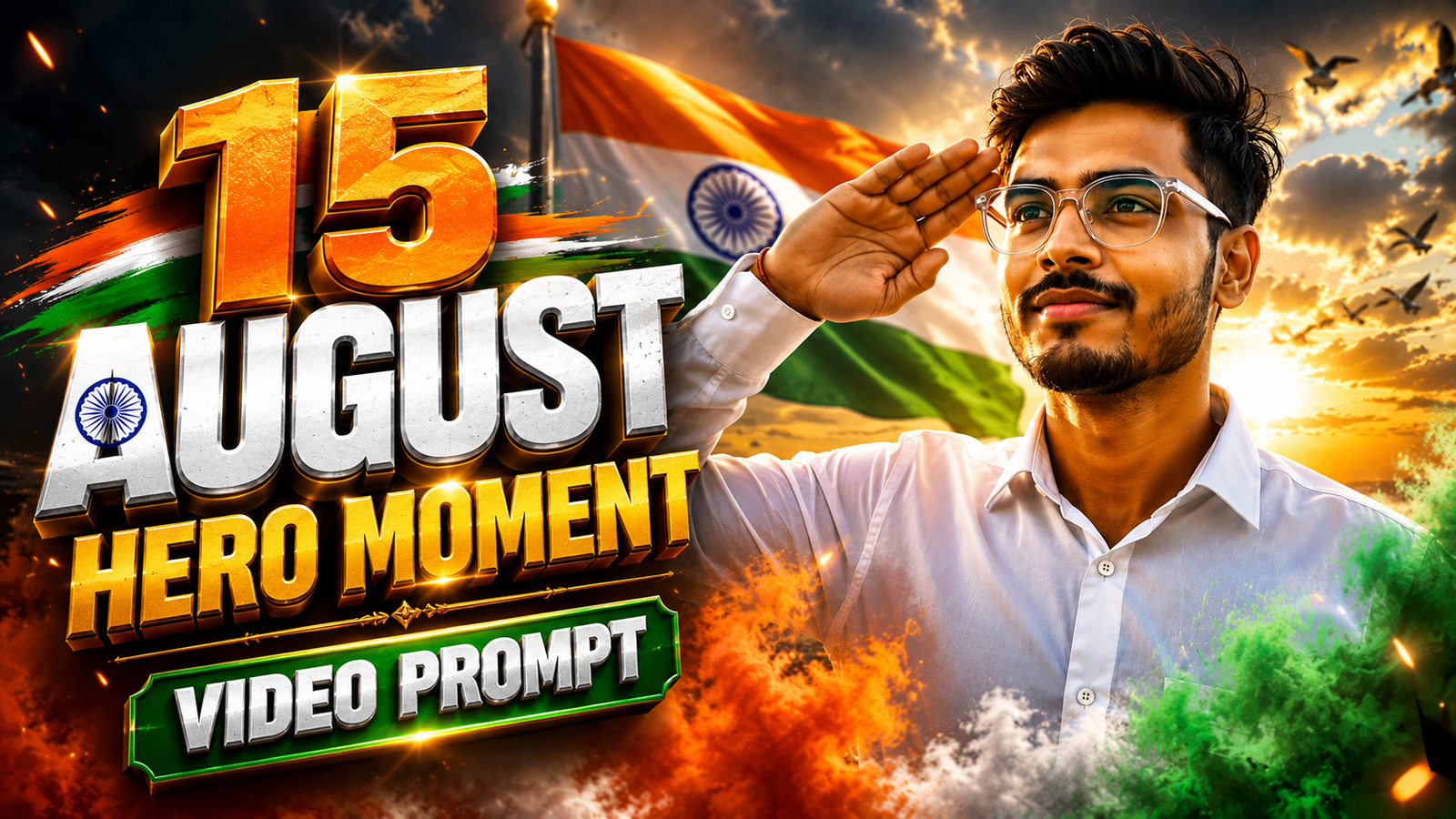
Every Independence Day, social media fills up with profile photos, tricolour posters and patriotic status videos. But in 2026, something much more cinematic is catching attention: 15 August cinematic AI videos created from a single photo.
Instead of simply adding an Indian flag behind your picture, you can turn a normal portrait into a short movie-like sequence. Imagine standing confidently in a crisp white shirt while a massive Indian flag waves behind you, raising your hand for a salute as golden sunlight hits your face, and then appearing in a peaceful green field with the Tiranga flying beside you.
That is exactly what the 15 August Cinematic Video Prompt trend is about.
With a good reference photo and a carefully written prompt, AI video generators can create impressive Independence Day scenes featuring cinematic camera movement, realistic wind, moving flags, dramatic lighting and smooth transitions.
In this guide, I’ll share the complete prompt, explain how to use it, and show you a few simple tricks that can make your final video look much more natural.
What Is the 15 August Cinematic Video Prompt Trend?
The idea is surprisingly simple.
You upload a clear photo of yourself and provide the video generator with detailed instructions describing what should happen during the clip.
Instead of asking for something basic like “create an Independence Day video,” the prompt controls individual elements such as:
- Character appearance and outfit
- Indian flag movement
- Camera direction
- Salute pose
- Golden-hour lighting
- Background environment
- Tricolour atmospheric effects
- Final cinematic scene
The result can feel closer to a short patriotic movie sequence than a traditional photo edit.
The biggest advantage is that you don’t necessarily need to shoot every scene yourself. A strong portrait can become the starting point for an entirely different visual experience.
Why Cinematic 15 August Videos Look So Impressive
There is a reason these edits immediately stand out while scrolling.
Movement creates emotion.
A still image of someone holding the Indian flag can look beautiful, but when the Tiranga begins moving naturally in the wind, sunlight appears through the clouds and the camera slowly moves toward the subject, the same idea becomes much more dramatic.
Another important element is progression.
Rather than keeping one background for the entire clip, the video can move through several connected moments: a dramatic opening, a giant flag reveal, a salute close-up and finally a peaceful countryside scene.
That mini-story makes even a short video feel complete.
Complete 15 August Cinematic Video Prompt 2026
Here is the main prompt you can customize for your reference photo:
Use my uploaded image as the main character reference and maintain consistent facial features, hairstyle, skin tone, glasses and overall appearance throughout the video. Keep the character recognizable and naturally realistic in every shot.
The character wears a premium crisp white shirt with rolled sleeves, black trousers, transparent glasses and an elegant wristwatch.
Create a photorealistic cinematic Indian Independence Day sequence in 16:9. Use natural skin texture, realistic fabric movement, physically believable wind, golden-hour lighting, atmospheric depth, shallow depth of field, smooth camera movement and professional film-style color grading.
Scene 1: Begin with a cinematic medium close-up. The young man looks confidently toward the camera while warm golden sunlight illuminates his face. He gently opens the front sides of his white shirt as a symbolic saffron, white and green light emerges and transforms into flowing tricolour fabric in front of him. Add subtle atmospheric mist, distant birds and floating particles.
Scene 2: Transition through the moving fabric into a wide heroic shot. The same character stands confidently with both arms stretched outward while a huge Indian National Flag waves naturally behind him. The camera moves upward from a slightly lower angle and performs a smooth partial orbit. Golden sunlight breaks through cinematic clouds.
Scene 3: The character slowly raises his right hand into a respectful salute while looking toward the horizon. Move into a cinematic facial close-up where the waving Indian flag is subtly reflected in his transparent glasses. Keep the face sharp while the background flag remains softly blurred.
Scene 4: Use the movement of the flag as a seamless transition into a vast green agricultural landscape at golden hour. The same character sits naturally on a large white stone while a large Indian flag on a wooden flagpole waves beside him. Green crops move gently with the breeze and birds cross the glowing horizon. Finish with a slow cinematic close-up of his proud and peaceful expression.
Maintain consistent character appearance throughout. Natural anatomy, realistic hands, authentic Indian flag appearance, smooth transitions, realistic shadows and environmental physics. Avoid facial distortion, duplicate characters, flickering, warped hands, unnatural flag movement, abrupt cuts, cartoon effects, text, logos and watermarks.
How to Create Your 15 August Cinematic Video
You don’t need a complicated workflow. What matters most is starting with the right image.
Step 1 – Choose a clear portrait
Select a sharp photo where your face is clearly visible. Avoid heavily filtered, blurry or extremely dark images. A simple front-facing or slightly angled portrait usually gives the generator more useful facial information.
Step 2 – Upload your reference image
Open an AI video generator that supports image-to-video creation and upload the portrait.
Step 3 – Copy the cinematic prompt
Paste the prompt above. If your original outfit is important, change the clothing description so it matches your photograph.
Step 4 – Generate the video
Choose a cinematic widescreen format such as 16:9 when available. Let the model generate the first version.
Step 5 – Check consistency before publishing
Watch the result carefully. Look at the face, hands, flag, glasses and clothing between shots. If something changes noticeably, regenerate the problematic scene rather than accepting an obviously distorted result.
One Trick That Can Improve the Final Result
Don’t overload every second with effects.
It is tempting to request smoke, fireworks, hundreds of birds, glowing particles, lightning, lens flares and multiple flags simultaneously. Usually, that makes an AI-generated video look less realistic.
For this concept, the Indian flag should remain the visual hero.
A combination of natural wind + golden sunlight + controlled camera movement + subtle atmospheric effects can look far more premium.
The quiet ending in the green fields is particularly useful because it contrasts with the dramatic opening. That change of pace gives the video an emotional finish rather than making every scene equally loud.
How to Keep the Face More Consistent
Face consistency remains one of the most noticeable challenges in image-to-video generation.
Start with a high-quality reference image and avoid asking for extreme head rotations. You can also explicitly tell the model to preserve recognizable facial features, hairstyle, glasses and skin tone across every shot.
Another useful approach is generating complicated sequences as separate short clips.
For example, create the flag reveal first, the salute separately, and the agricultural-field ending as another clip. You can then combine the best generations during editing.
This gives you more control than depending on one generation to perfectly execute several major transformations.
Make the Salute Scene Feel Cinematic
The salute doesn’t need excessive movement.
A slow transition from a medium shot into a close-up can be enough. Keep the Indian flag moving behind the character and allow warm sunlight to create natural highlights around the face.
If the character wears transparent glasses, a subtle reflection of the Tiranga can add another interesting detail.
The important word here is subtle.
An oversized or unnaturally bright reflection can immediately make the shot feel artificial.
A Better Ending Than a Basic Flag Background
One of my favorite parts of this concept is the agricultural landscape.
India’s Independence Day visuals don’t always need monuments or crowded backgrounds. Endless green fields, moving crops, an open sky and the Tiranga can communicate a completely different feeling.
After several dramatic shots, ending in a quiet landscape makes the sequence feel peaceful.
You can also experiment with backgrounds such as a village road, mountain viewpoint or open countryside while keeping the central patriotic theme intact.
Common Mistakes to Avoid
Using a blurry reference photo: AI cannot reliably preserve details that aren’t clearly visible in the source image.
Changing clothes in every scene: Unless an outfit transformation is intentional, consistent clothing makes connected scenes look more believable.
Too much tricolour smoke: The saffron, white and green atmosphere should support the composition rather than hide the character.
Unrealistic flag details: Always inspect the generated Tiranga carefully before publishing.
Too many camera movements: Constant zooming and spinning can make a short video chaotic. Slow push-ins, controlled orbits and stable close-ups usually look better.
Ignoring the hands: Check salute poses and hand anatomy carefully because these areas can reveal generation errors.
Can You Make This Video for Reels and Shorts?
Yes. The same concept can be adapted to vertical video.
For Instagram Reels or YouTube Shorts, use 9:16 instead of 16:9 and tell the generator to keep the character near the center so important details aren’t cropped.
For a YouTube thumbnail, blog featured image or landscape video, 16:9 remains the more practical format.
You don’t need to rewrite the entire prompt. Usually, changing the requested framing and adjusting the camera composition is enough.
Give Your Video a Personal Touch
Copying a prompt is only the starting point.
Try changing one important scene.
Maybe your ending takes place beside a quiet river. Perhaps the opening happens at sunrise instead of sunset. You could use a rooftop overlooking an Indian city or an open countryside road surrounded by flags.
Small creative changes can prevent every generated video from looking identical.
That’s especially important when a trend becomes popular and hundreds of creators start using similar prompts.
Frequently Asked Questions
What is a 15 August Cinematic Video Prompt?
It is a detailed instruction given to an AI video generator to create an Independence Day-themed cinematic sequence. It can define the character, Tiranga, environment, lighting, actions and camera movement.
Can I create the video using my own photo?
Yes, if your chosen image-to-video tool supports reference images. A clear, well-lit portrait generally gives the model a better starting point.
Which aspect ratio should I use?
Use 16:9 for landscape videos and YouTube-style content. For Reels and Shorts, 9:16 is generally more suitable.
Why does my face change during the video?
Complex movement, poor reference images and major camera-angle changes can cause inconsistencies. Using a clearer photo and generating shorter individual scenes can help.
Can I change the outfit in the prompt?
Yes. Replace the white-shirt description with the clothing you want. Keeping the same outfit across connected scenes usually improves visual continuity.
Should I add text inside the generated video?
For this particular cinematic style, generating clean footage without text is often better. Titles and Independence Day greetings can be added afterward in your video editor, giving you more control over typography.
A Cinematic Way to Celebrate 15 August
The most interesting part of the 15 August Cinematic Video Prompt 2026 isn’t simply that AI can animate a photograph. It’s how a familiar Independence Day idea can be presented like a tiny film.
A moving Tiranga, a quiet salute, sunlight breaking through clouds and green fields swaying in the distance can tell the story without filling the screen with unnecessary elements.
Start with a clear photo, keep your prompt focused, generate a few versions and choose the one where the face, flag and movement look most natural.
Most importantly, don’t be afraid to modify the prompt.
What do you feel about this post?

Like

Love

Happy

Haha

Sad