The rainy season has always been one of the most photogenic times of the year. From misty mornings and dark clouds to glowing reflections on wet roads, monsoon creates a cinematic atmosphere that photographers dream about. In 2026, this natural beauty has become even more exciting thanks to AI image generation. People are now turning ordinary selfies into breathtaking rainy-day portraits that look as if they were captured on the set of a high-budget movie.
If you’ve been scrolling through Instagram, Facebook, Pinterest, or YouTube Shorts lately, you’ve probably noticed these dramatic monsoon portraits everywhere. Soft rainfall, glowing streetlights, dreamy reflections, colorful umbrellas, and realistic facial details are making these images go viral. The best part is that you no longer need expensive cameras or advanced editing skills. With the right AI prompt and a clear reference photo, anyone can create a premium cinematic portrait within minutes.
In this article, we’ll explore why the Monsoon Magic Portrait Prompt 2026 trend is growing so quickly, what makes these images look realistic, and how you can create your own stunning rainy-season portrait using ChatGPT and modern AI image generators.
Why Monsoon Portraits Are Trending in 2026
Every year brings a new AI image trend, but monsoon-themed portraits have become one of the biggest visual styles of 2026. Rain naturally adds emotion, depth, and storytelling to photographs. Combined with AI-generated lighting and cinematic color grading, the final result often looks more artistic than traditional editing.
Creators are using these portraits for:
- Instagram profile photos
- WhatsApp DP updates
- Facebook cover images
- YouTube thumbnails
- Personal blogs
- Digital portfolios
- Festival greetings
- Social media reels
Unlike standard portraits, monsoon images create a mood. The combination of soft rain, cloudy skies, glowing reflections, and dramatic lighting gives every image a premium cinematic feel.
What Makes a Monsoon AI Portrait Look Realistic?
Many AI-generated images fail because they use overly complicated prompts or low-quality reference photos. The most realistic results usually come from a simple combination of three important elements:
High-Quality Reference Photo
Always upload a sharp image with good lighting. Your face should be clearly visible without heavy shadows or blur.
Detailed Cinematic Prompt
A well-written prompt helps the AI understand lighting, background, weather, facial details, camera angle, and atmosphere.
Natural Rain Environment
Instead of unrealistic storm effects, subtle rainfall, wet roads, reflections, fog, and soft clouds create a much more believable image.
Why ChatGPT Prompts Are Becoming Popular
One of the biggest reasons behind this trend is that users are discovering how powerful detailed prompts can be. Instead of editing photos manually, creators simply describe the entire scene in natural language and let AI generate a realistic composition.
A good prompt can control:
- Camera angle
- Background
- Weather
- Clothing style
- Lighting
- Facial preservation
- Lens effect
- Color grading
- Depth of field
- Overall cinematic mood
This makes AI image generation faster, easier, and much more accessible for beginners.
Best Ideas for Monsoon Portraits
Instead of creating the same rainy photo every time, experiment with different concepts:
- Walking on a rain-soaked street under warm city lights
- Holding a transparent umbrella in gentle rainfall
- Standing beside a lake during misty weather
- Vintage railway station with monsoon atmosphere
- Green forest road after fresh rain
- Mountain viewpoint covered in clouds
- Cozy café window with raindrops
- Rural village road surrounded by greenery
- Rainy evening with glowing lanterns
- Cinematic highway during sunset showers
Each background creates a completely different mood while keeping the rainy-season theme intact.
Tips to Get Better AI Portrait Results
Even the best prompt won’t produce perfect results if your input photo isn’t suitable.
For the most realistic outcome:
- Use a high-resolution portrait.
- Keep your face fully visible.
- Avoid sunglasses or face coverings.
- Wear simple clothing with natural colors.
- Choose a photo taken in daylight.
- Maintain a relaxed expression.
- Generate multiple versions before selecting the final image.
Small improvements in the reference photo often make a huge difference in the final result.
Copy And Use This Prompt
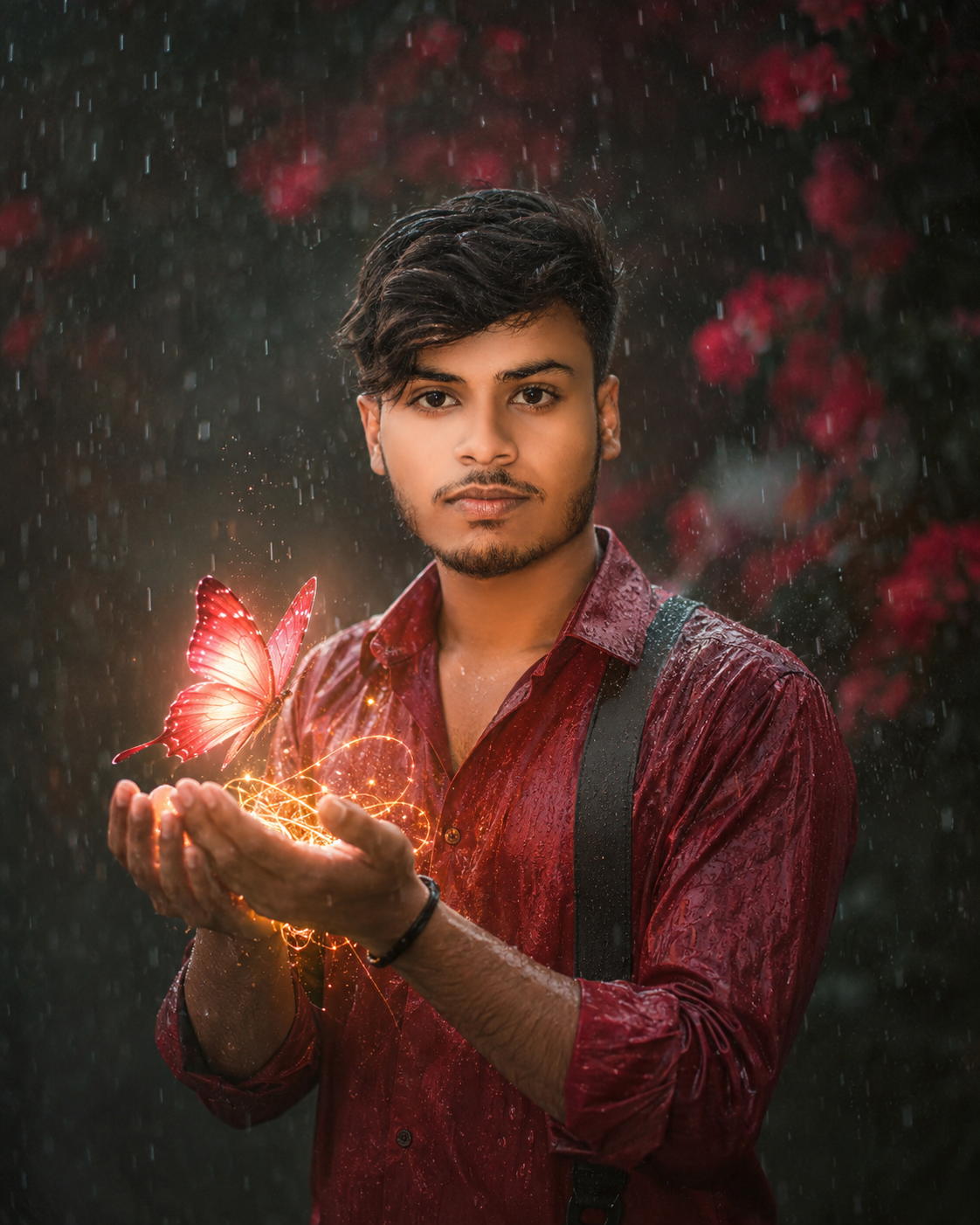
Use my uploaded photo as the exact face reference. Preserve 100% facial identity, hairstyle, beard, glasses, skin tone, and natural expression. Create an ultra-realistic cinematic portrait of me wearing a premium deep red satin shirt standing in gentle rainfall. I am holding both hands together while a glowing crimson butterfly made of magical light slowly lands above my palms. Golden sparkling particles swirl around my hands, creating a warm glow against the cool rainy atmosphere. Dark blurred background with red flowers, soft bokeh, realistic rain droplets on clothes and skin, HDR, DSLR photography, 85mm lens, shallow depth of field, ultra-detailed, 8K, aspect ratio 4:5.
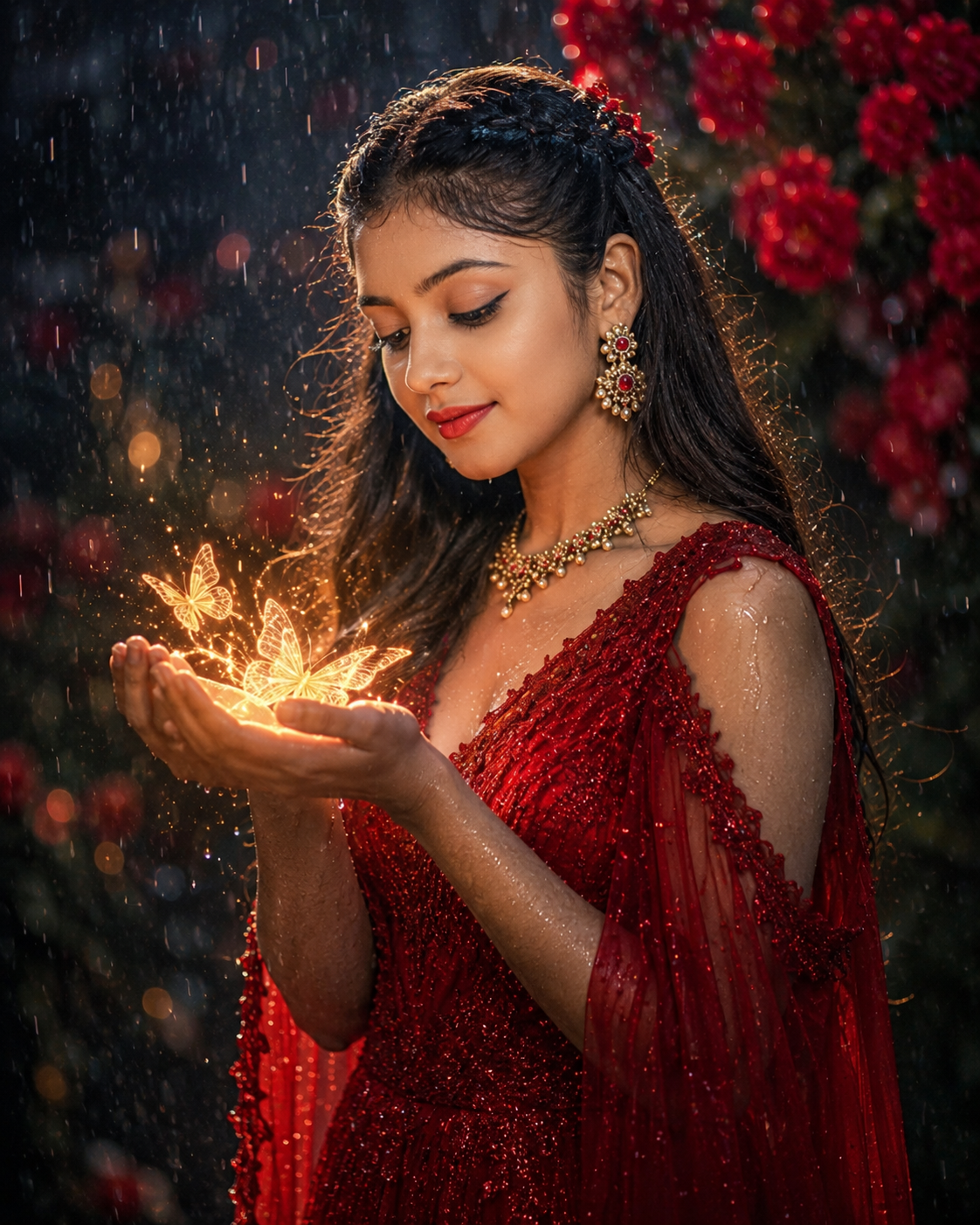
Create an ultra-realistic portrait of a beautiful young woman wearing a luxurious ruby-red dress standing in soft rainfall. She gently holds glowing crystal butterflies above her hands while golden magical light illuminates her face. Long flowing hair, elegant earrings, realistic rain droplets, blurred red floral background, dreamy cinematic lighting, premium editorial photography, HDR, DSLR, 85mm lens, ultra-detailed skin texture, 8K, aspect ratio 4:5.
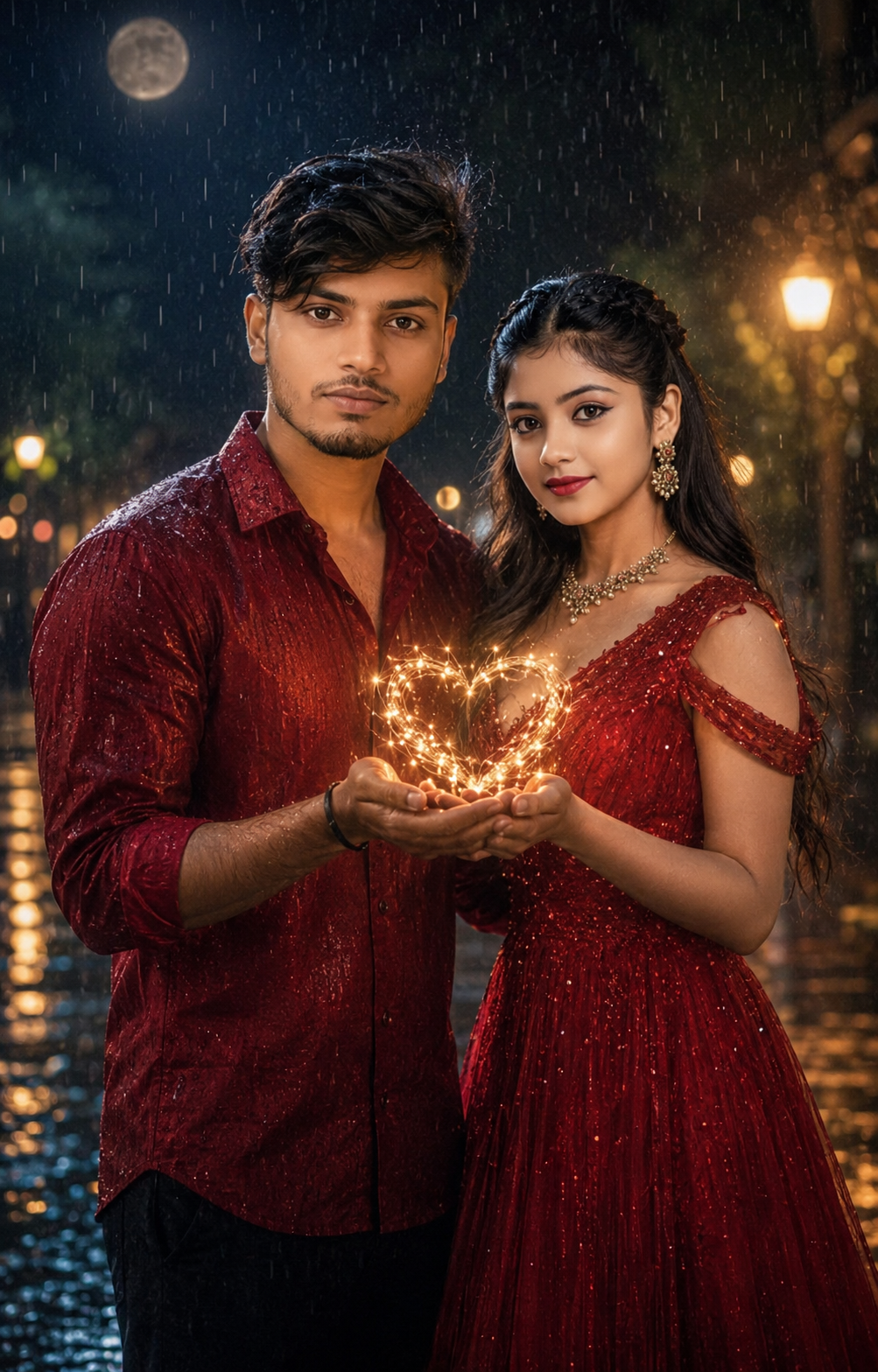
Use my uploaded photo as the exact face reference for the male character. Preserve 100% facial identity, hairstyle, beard, glasses, skin tone, and expression. Create a cinematic rainy evening where I stand beside a beautiful girl wearing an elegant red gown. Both of us gently hold glowing golden fireflies between our hands, forming a magical heart of light. Soft moonlight reflects on the wet ground, light rain falling, dreamy bokeh, realistic water droplets, romantic atmosphere, HDR, DSLR quality, ultra-realistic textures, premium color grading, 8K, aspect ratio 4:5.
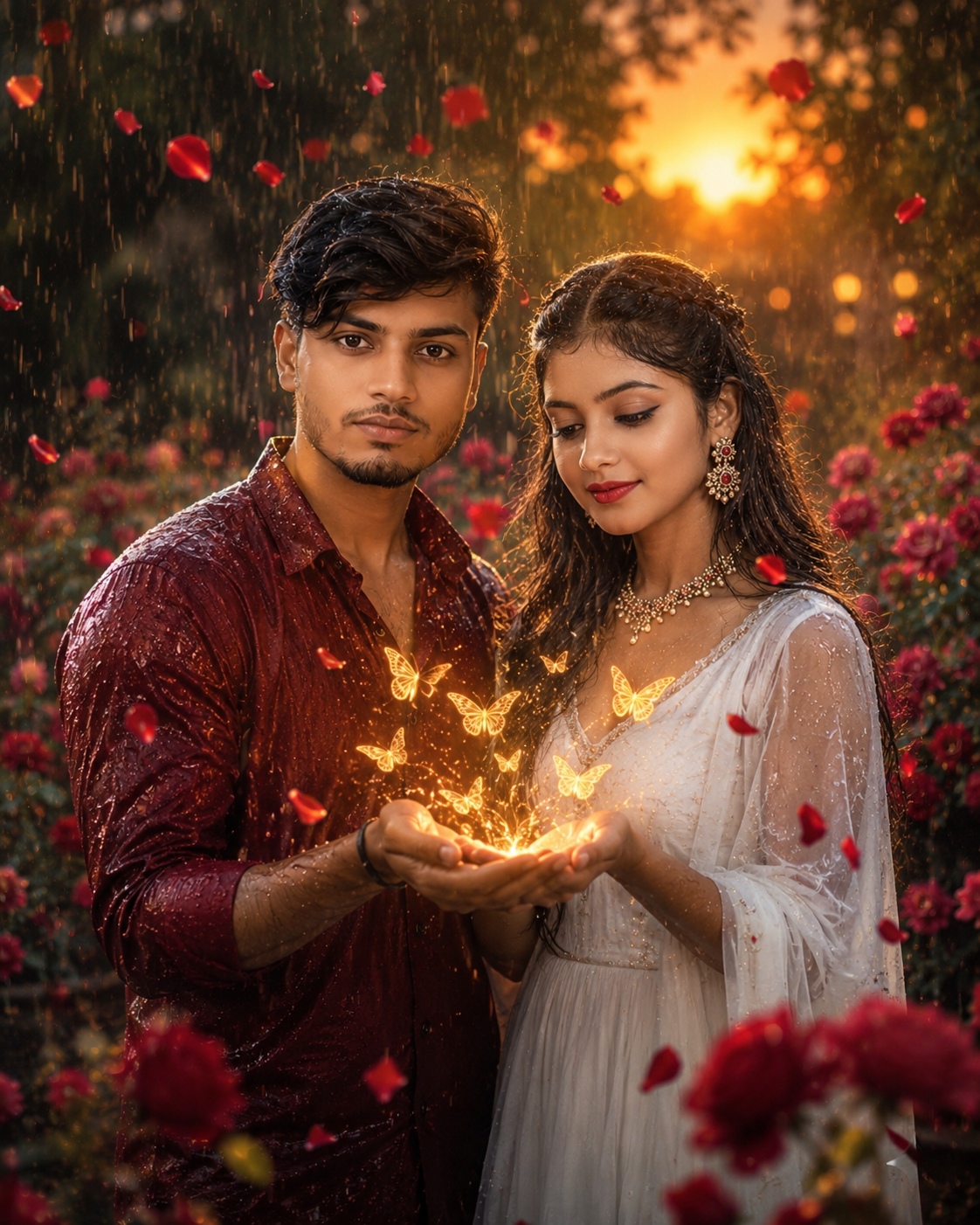
Use my uploaded photo as the exact face reference for the male character. Preserve 100% facial identity and expression. Create a magical rain-soaked rose garden at sunset. I wear a stylish maroon shirt while a beautiful girl in a flowing white dress stands beside me. Together we release glowing butterflies from our joined hands. Floating rose petals, golden sparkles, soft mist, cinematic lighting, realistic rainfall, shallow depth of field, HDR, DSLR photography, ultra-realistic, premium quality, 8K, aspect ratio 4:5.
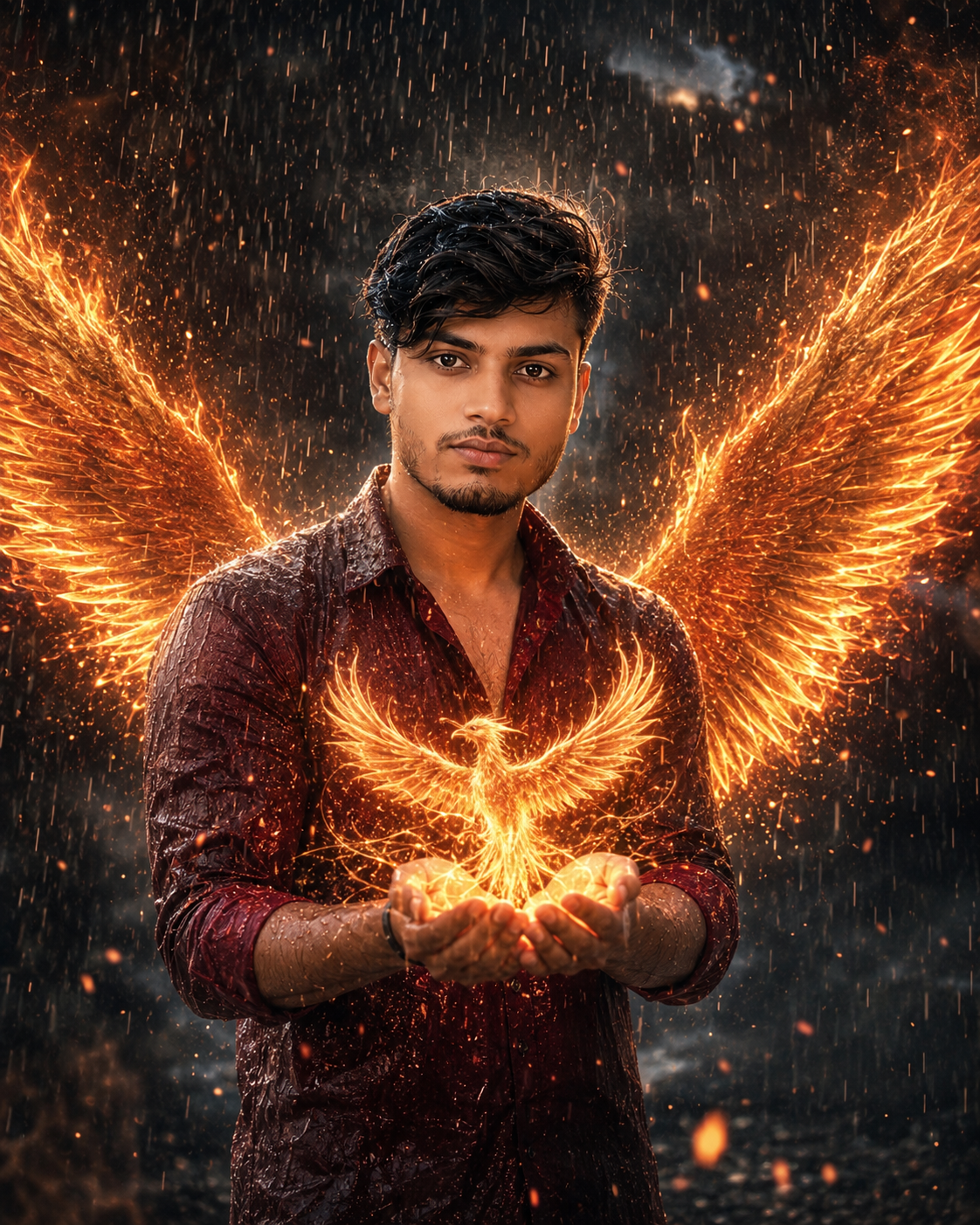
Use my uploaded photo as the exact face reference. Preserve 100% facial identity, hairstyle, beard, glasses, skin tone, and natural expression. Create a dramatic cinematic portrait during heavy rain where I hold a glowing golden phoenix made of light in my hands. Massive fiery wings made of sparkling energy appear behind me without covering my face. Wet black-and-red outfit, realistic rain, smoke, floating embers, volumetric lighting, dark cinematic background, HDR, DSLR photography, ultra-detailed, 8K, premium color grading, aspect ratio 4:5.
How to Create a Monsoon Magic Portrait with ChatGPT
Creating a cinematic rainy-season portrait is much easier than most people think. You don’t need Photoshop or professional editing skills. Modern AI image generators can transform an ordinary portrait into a stunning monsoon scene in just a few minutes.
Step 1: Choose a Clear Portrait
Start with a high-quality photo where your face is clearly visible. A front-facing image with natural lighting works best. Avoid blurry images, heavy filters, or sunglasses because AI needs to recognize facial details accurately.
Step 2: Open Your AI Image Generator
Use an AI platform that supports image generation from prompts. Many creators use ChatGPT with image generation capabilities or other modern AI image tools that allow reference image uploads.
Step 3: Upload Your Reference Photo
If the platform supports face preservation, upload your original portrait. This helps maintain your facial identity while changing the environment into a cinematic rainy scene.
Step 4: Paste the Monsoon Prompt
Copy a detailed Monsoon Magic Portrait prompt and paste it into the prompt box. A descriptive prompt gives the AI better instructions about lighting, weather, clothing, background, and overall mood.
Step 5: Generate Multiple Versions
Don’t settle for the first result. Generate three to five variations and compare them. Often the second or third image looks significantly better.
Step 6: Fine-Tune the Result
If the first image isn’t perfect, slightly adjust your prompt. You can ask for softer rain, warmer lighting, a different camera angle, or stronger reflections to improve realism.
Common Mistakes to Avoid
Many beginners don’t get the results they expect because of a few simple mistakes.
- Uploading low-quality or blurry photos.
- Using overly complicated prompts.
- Asking for too many effects at once.
- Ignoring lighting in the original image.
- Expecting perfect results on the first attempt.
- Forgetting to generate multiple variations.
Keeping your prompt focused usually produces more realistic portraits.
Pro Tips for Realistic Results
If you want your portrait to look like a professional DSLR photograph, keep these tips in mind:
- Use soft cinematic lighting instead of harsh highlights.
- Add wet road reflections instead of heavy rain effects.
- Choose realistic clothing colors.
- Include natural fog rather than excessive smoke.
- Keep facial expressions relaxed.
- Avoid unrealistic fantasy elements unless that’s your goal.
- Mention “preserve exact facial identity” if using a reference image.
These small details can dramatically improve the final image.
Why This Trend Can Go Viral
Monsoon portraits combine emotion, storytelling, and seasonal relevance. People naturally engage with content that feels fresh and visually appealing.
Creators are using these portraits for:
- Instagram Reels
- Facebook Posts
- WhatsApp Status
- YouTube Thumbnails
- Pinterest Pins
- Blog Covers
Because the rainy season returns every year, this trend has long-term search potential rather than disappearing after a few days.
Final Thoughts
The Monsoon Magic Portrait Prompt 2026 trend is more than just another AI image style. It blends natural beauty with cinematic storytelling, allowing anyone to create premium-looking portraits without expensive equipment or editing software.
If you enjoy experimenting with AI creativity, this trend is definitely worth trying. With a good reference photo, a well-written prompt, and a little patience, you can create realistic rainy-season portraits that stand out on every social media platform.
Keep exploring new ideas, refine your prompts, and don’t be afraid to generate multiple versions until you achieve the perfect cinematic result.
FAQs
Q1. What is a Monsoon Magic Portrait Prompt?
It is a detailed AI prompt that transforms a normal portrait into a cinematic rainy-season image with realistic lighting, clouds, reflections, and dramatic weather.
Q2. Can I use my own photo?
Yes. Uploading your own high-quality portrait gives the most realistic results, especially when the AI platform supports face preservation.
Q3. Which AI tool works best for this trend?
Several modern AI image generators support this style. Choose one that allows detailed prompts and reference image uploads.
Q4. Is this trend suitable for social media?
Absolutely. These portraits perform well on Instagram, Facebook, WhatsApp, Pinterest, and YouTube because of their eye-catching cinematic appearance.
Q5. Can beginners create these images?
Yes. You don’t need professional editing skills. A clear photo and a well-written prompt are usually enough to achieve impressive results.
What do you feel about this post?

Like

Love

Happy

Haha

Sad