Scroll through Instagram Reels or YouTube Shorts for just a few minutes, and you’ll notice a new trend that seems impossible to ignore. Couples dancing under heavy rain, cinematic slow-motion scenes, emotional eye contact, realistic water splashes, and movie-like camera movement are suddenly appearing everywhere. At first glance, many people believe these clips were filmed with expensive cameras and a professional production team. The surprising truth is that most of them are created with AI.
Over the past few months, AI video generation has taken a huge leap forward. What once looked robotic and unrealistic has now become incredibly lifelike. Today’s AI models can understand detailed scene descriptions, realistic lighting, human emotions, camera angles, and even the natural movement of clothes in the wind. Because of this, creators can transform a simple photo into a cinematic short film that looks like a scene from a Bollywood romance.
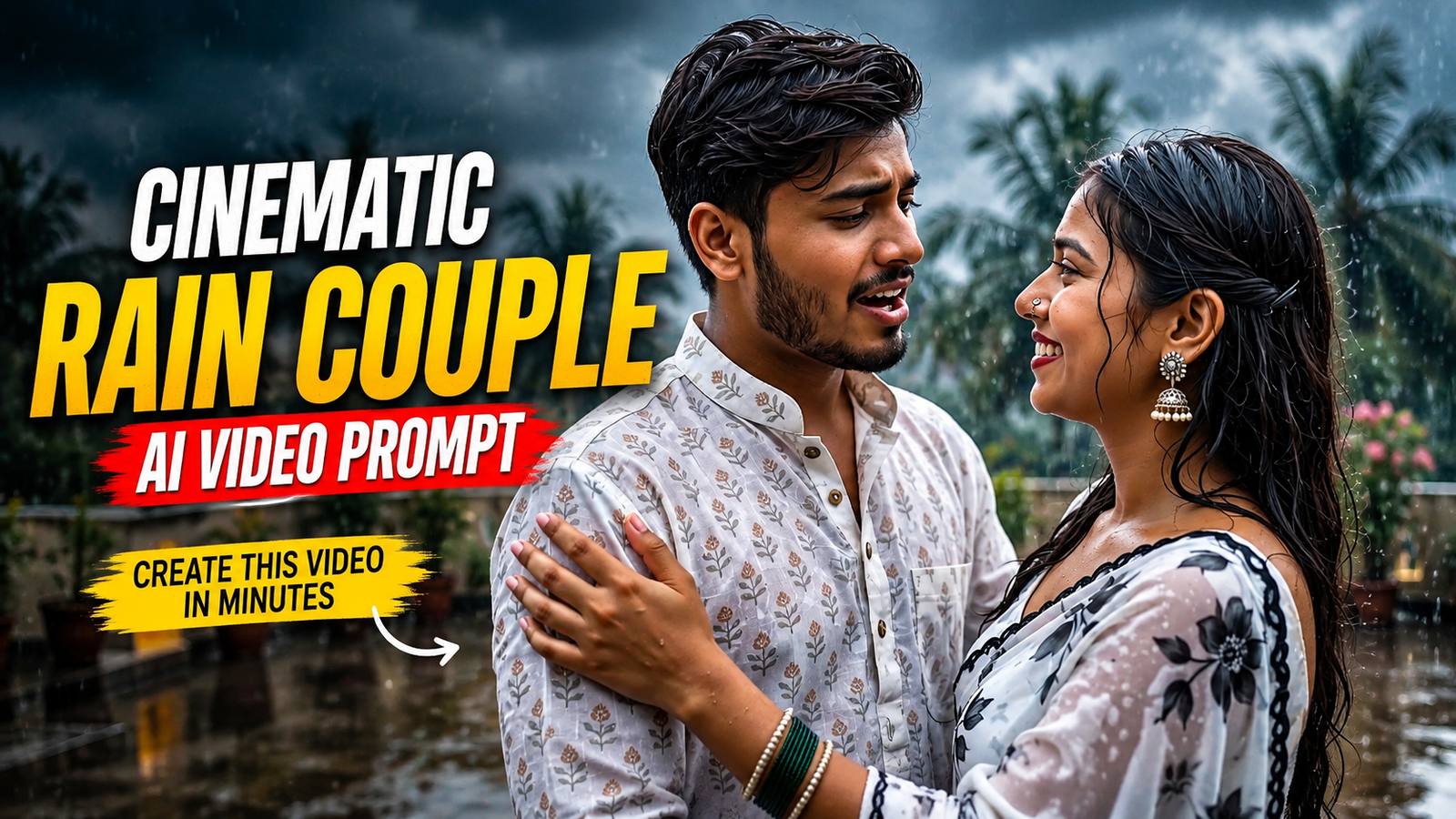
One trend, however, is attracting more attention than almost any other—the Cinematic Rain Couple Video. It combines romance, monsoon vibes, dramatic lighting, and emotional storytelling into a short video that instantly captures attention. Whether you’re a content creator, a social media enthusiast, or simply someone who enjoys experimenting with AI, this trend is worth exploring.
In this guide, you’ll discover why everyone is talking about this trend, how it works, how to get the most realistic results, and the exact prompt that can help you create a stunning rain romance video.
Why This AI Video Trend Is Going Viral
Not every AI trend survives for long. Some become popular for a few days before disappearing, while others continue growing because people genuinely enjoy watching them. The cinematic rain couple trend belongs to the second category.
Rain naturally creates emotion. It adds movement, reflections, soft lighting, and a romantic atmosphere without needing complicated visual effects. When AI combines these elements with realistic facial expressions and smooth camera motion, the result feels surprisingly close to a professionally filmed movie scene.
Unlike flashy edits that rely on dozens of transitions, this trend focuses on simplicity. Two people smiling, dancing, or walking together in the rain can create a much stronger emotional connection than a heavily edited montage.
That’s one of the biggest reasons these videos receive high watch time and are shared so frequently across social media platforms.
What Makes These Videos Look So Real?
Many people ask the same question after watching one of these clips:
“Is this actually AI?”
The answer is yes—but modern AI works very differently from earlier versions.
Instead of generating random animations, today’s AI models understand how rain interacts with clothing, how light reflects on wet surfaces, and how human expressions change naturally while moving. Small details such as hair movement, water splashes, fabric physics, and realistic shadows make a huge difference.
Professional color grading also plays an important role. Warm skin tones combined with cool rainy backgrounds create a balanced cinematic look that immediately feels premium.
Why People Love Rain Romance Videos
There is something universally relatable about rain. It reminds people of memories, emotions, old movies, and meaningful moments with loved ones.
That’s why rain has always been a favorite setting in cinema.
When AI recreates that atmosphere with realistic visuals, viewers don’t just watch the video—they experience the emotion behind it.
This emotional connection is exactly what keeps people watching until the final second, which is one of the reasons these videos perform so well on Instagram Reels, Facebook Reels, TikTok, and YouTube Shorts.
Best AI Tools for Creating Cinematic Rain Videos
Several AI platforms now support high-quality video generation. While each tool has its own strengths, the most important factor isn’t the software—it’s the quality of your prompt and source image.
Some of the most popular choices include:
- Google Flow
- Google Gemini
- OpenAI Sora (where available)
- Kling AI
- Hailuo AI
- PixVerse AI
No matter which platform you choose, using a clear, detailed prompt dramatically improves the final output.
Everyone Is Creating This Cinematic Rain Couple Video With AI
Part 2
The Full Cinematic Rain Couple Video Prompt
The biggest difference between an average AI video and one that feels like a real movie isn’t the software—it’s the prompt. A well-written prompt tells the AI exactly how the scene should look, how the characters should move, and what kind of atmosphere it should create.
Use the prompt below to generate a realistic cinematic rain couple video.
Create an ultra-realistic cinematic monsoon romance scene featuring a young Indian couple joyfully dancing together on a spacious rooftop terrace during heavy rainfall. The woman wears a flowing white saree with elegant black floral prints and a matching blouse, while the man wears a coordinated white printed kurta with black trousers. They are laughing naturally, holding each other, twirling, and enjoying the rain with genuine happiness. Dark storm clouds fill the sky, soft rain falls continuously, water splashes around their bare feet on the reflective wet floor, lush green palm trees and blooming plants decorate the background. Cinematic camera movement with slow dolly-in, subtle handheld feel, realistic fabric physics, natural hair movement, expressive facial emotions, volumetric lighting, shallow depth of field, HDR, 8K, DSLR quality, 85mm lens, f/1.8, realistic skin texture, premium Bollywood romantic atmosphere, smooth motion, no glitches, no extra fingers, no face distortion, highly detailed, movie-quality color grading, 10-second seamless video, aspect ratio 9:16.
This prompt focuses on realism rather than excessive visual effects, making it suitable for creating high-quality short-form videos.
How to Create This Video
Creating this trend is easier than many people expect. You don’t need professional editing skills or expensive equipment. All you need is a high-quality photo, a detailed prompt, and an AI video generator.
Step 1 – Choose a Clear Photo
Select a portrait where both faces are clearly visible. Sharp images with natural lighting usually produce the best results.
Step 2 – Open Your AI Video Generator
Use an AI tool that supports cinematic video generation and image-to-video creation.
Step 3 – Upload the Image
Upload your couple photo and make sure the faces are not cropped or blurred.
Step 4 – Paste the Prompt
Copy the complete cinematic rain prompt and paste it into the prompt box. Avoid changing too many details unless you want a different style.
Step 5 – Generate the Video
Wait for the AI to process the scene. Depending on the platform, generation may take a few minutes.
Step 6 – Export in High Quality
Export the video in the highest available quality before uploading it to social media.
Why Detailed Prompts Produce Better Results
Many beginners write only one sentence such as:
“Create a romantic rain video.”
While this may generate a video, the result often looks generic.
A detailed prompt explains:
- Character clothing
- Facial expressions
- Camera movement
- Lighting
- Weather
- Background
- Mood
- Video quality
- Lens settings
These details help the AI understand exactly what you want, leading to more realistic and cinematic output.
Tips for Ultra-Realistic Results
Professional-looking AI videos are usually created by paying attention to small details. Keep these tips in mind:
- Use high-resolution source photos.
- Choose images with natural expressions.
- Keep the background clean.
- Avoid blurry selfies.
- Don’t overload the prompt with too many actions.
- Stick to one cinematic mood throughout the video.
- Generate multiple versions and select the best one.
Sometimes the second or third generation produces significantly better results than the first.
Common Mistakes to Avoid
Many creators become disappointed because they expect perfect results from poor-quality inputs.
Here are some common mistakes:
- Uploading low-resolution photos.
- Using images where faces are partially hidden.
- Writing extremely short prompts.
- Mixing too many locations in one scene.
- Adding unrealistic actions.
- Using poor lighting in the original image.
Fixing these issues can dramatically improve your final video.
Why This Trend Works So Well on Short Videos
Short-form platforms reward videos that immediately capture attention.
Rain naturally creates movement from the very first second. Water droplets, reflections, and emotional expressions keep viewers engaged without needing complicated editing.
This is one reason creators are seeing strong engagement with cinematic rain videos across multiple platforms.
Make Every Video Feel Personal
The most memorable AI videos are not the ones with the most visual effects—they are the ones that tell a story.
Instead of copying every trending style, try using photos that have real meaning. A genuine smile or a familiar location often creates a stronger emotional connection than any special effect.
When viewers feel something while watching your content, they’re much more likely to share it with others.
Great! Here’s Part 3 of your Google Discover–optimized article for TechWithAjay.in.
Best Export Settings for Social Media
Even the most realistic AI video can lose its quality if you export it using the wrong settings. Before publishing, make sure your final video is optimized for mobile viewing since most people will watch it on their smartphones.
For the best results, export your video in 1080 × 1920 (9:16) resolution. Keep the frame rate between 30 FPS and 60 FPS to maintain smooth motion, and choose the highest quality available in your AI video generator. Avoid compressing the file too much before uploading, as this can reduce sharpness and make rain effects look less natural.
Where Should You Share Your Rain Couple AI Video?
Creating a beautiful video is only half the job. Reaching the right audience is equally important.
This type of content performs especially well on platforms that prioritize short-form videos. Instagram Reels and YouTube Shorts remain the best choices because their algorithms actively recommend engaging visual content to new viewers. Facebook Reels can also generate excellent reach, especially for lifestyle and romance-themed videos, while TikTok continues to reward creative AI edits where it is available.
When uploading your video, use a clean caption that encourages curiosity instead of explaining everything. A short line such as “Created entirely with AI—would you believe it?” often attracts more comments than a long description.
Can Beginners Create Videos Like This?
Absolutely.
One of the biggest reasons behind the popularity of AI video generation is that it has removed the technical barriers that once made filmmaking difficult. You don’t need a DSLR camera, expensive editing software, or years of experience. If you have a clear photo, a detailed prompt, and a little patience, you can create a video that looks far more professional than most people expect.
Like any creative skill, your results will improve as you experiment with different prompts, lighting styles, and camera movements.
The Future of AI Cinematic Videos
AI video technology is improving at an incredible pace.
What seems impressive today may become standard within the next year. Future AI models are expected to generate longer scenes, more consistent facial expressions, realistic lip sync, improved physics, and even complete cinematic sequences with dialogue and background music.
For creators, this means there has never been a better time to start learning. The sooner you understand how prompts work, the easier it will be to take advantage of future AI tools as they become available.
Final Thoughts
The Cinematic Rain Couple Video trend is more than just another social media challenge. It shows how AI can transform simple photographs into emotional visual stories that feel surprisingly real.
The secret isn’t using the most expensive software or adding dozens of effects. It comes from combining a high-quality image with a thoughtfully written prompt and allowing the AI to build a believable scene.
If you’re looking for a fresh content idea for Instagram Reels, YouTube Shorts, or Facebook, this trend is definitely worth trying. Experiment with different locations, outfits, lighting conditions, and emotions to create a version that reflects your own style.
Sometimes, a few seconds of authentic storytelling leave a stronger impression than an entire minute of flashy edits.
Frequently Asked Questions (FAQs)
1. Which AI tool works best for cinematic rain videos?
Several AI video generators can produce great results. The most important factor is using a detailed prompt and a clear source image.
2. Can I use my own couple photo?
Yes. In fact, personal photos usually create the most natural and emotionally engaging results.
3. What is the ideal video length?
Videos between 8 and 12 seconds generally perform well on Instagram Reels and YouTube Shorts.
4. Why does my AI video look unrealistic?
Common reasons include low-resolution photos, poor lighting, hidden faces, or prompts that are too short or too vague.
5. Which aspect ratio should I choose?
Use 9:16 for vertical short-form platforms such as Instagram Reels, YouTube Shorts, Facebook Reels, and TikTok.
6. Do I need video editing experience?
No. Modern AI tools are beginner-friendly and can generate cinematic results with minimal editing.
7. Can this trend help increase engagement?
High-quality, emotionally appealing videos often receive better watch time and shares, but performance depends on many factors such as originality, audience interest, and presentation.
What do you feel about this post?

Like

Love

Happy

Haha

Sad