💍 Marriage Biodata Maker
Create, customize & download your beautiful marriage biodata
📝 Biodata Details
Marriage Biodata
With the blessings of the divine
Photo
🎓 Education & Career
Education: —
Profession: —
Company: —
Income: —
👨👩👧 Family Details
Father: —
Father’s Profession: —
Mother: —
Mother’s Profession: —
Siblings: —
Family Location: —
🌸 About Me
A short introduction will appear here.
💞 Partner Expectations
Partner expectations will appear here.
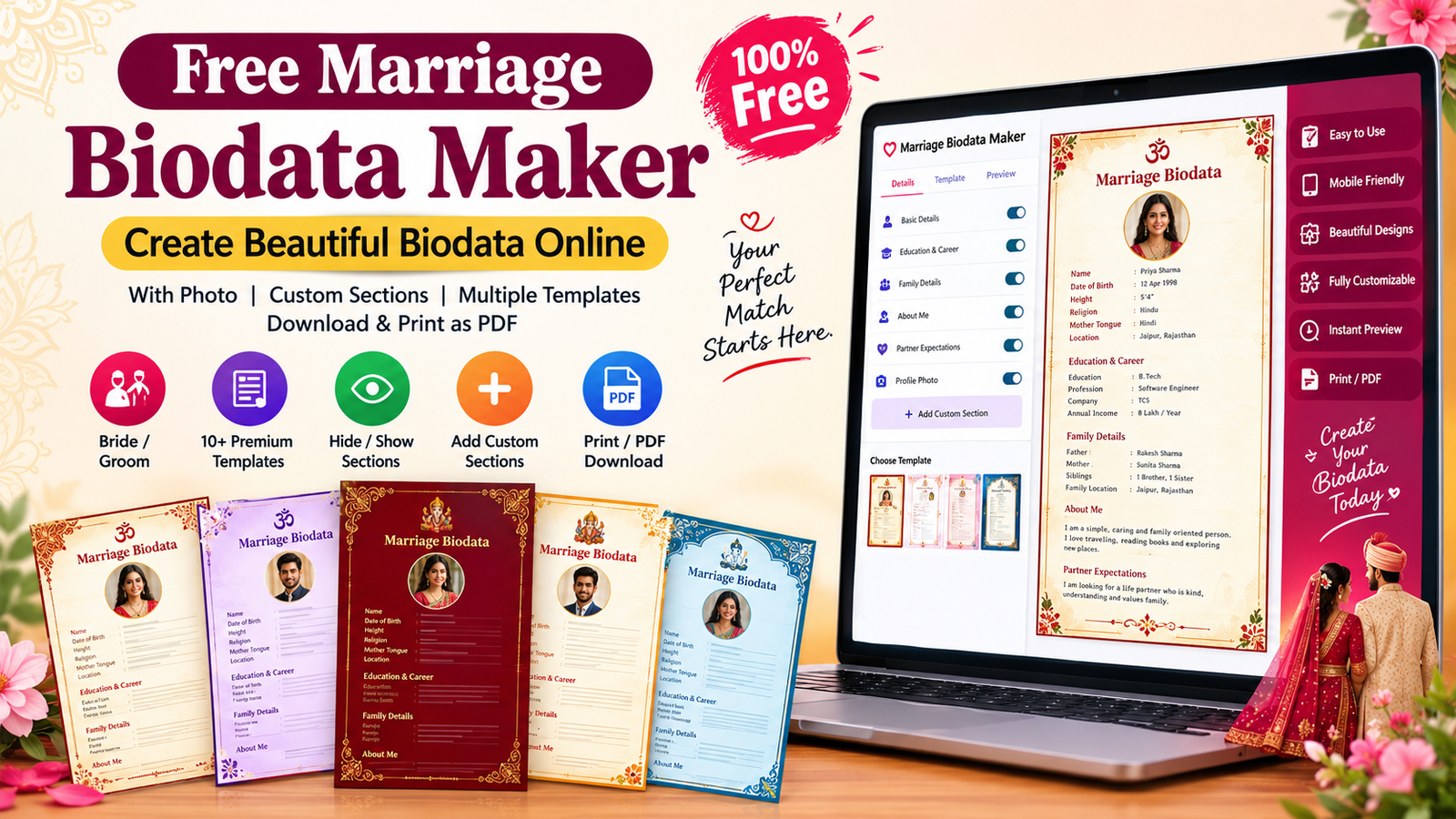
Create your marriage biodata online for free with our easy-to-use Marriage Biodata Maker. Add your personal information, education, profession, family details, profile photo, partner preferences and other important information. You can also choose from multiple beautiful biodata templates and customize your biodata by hiding existing sections or adding your own custom sections.
Whether you are creating a marriage biodata for a bride or groom, this tool makes the process simple and quick. Once your biodata is ready, you can preview it and use the Print / PDF option to save or print your final biodata.
💍 What Is a Marriage Biodata?
A marriage biodata is a short document that presents important information about a person for matrimonial purposes. It usually includes details such as name, date of birth, height, education, profession, family background, location, hobbies and partner expectations.
A well-designed marriage biodata makes it easier for families and potential matches to understand basic information about a person in a clear and organized format.
Our Marriage Biodata Maker Online helps you create this document without manually designing a Word or PDF file.
✨ Create Your Marriage Biodata Online
With this free biodata maker, you can create a professional-looking biodata in a few simple steps:
- Select Bride or Groom.
- Enter your basic personal details.
- Add education and career information.
- Enter family details.
- Write a short introduction about yourself.
- Add partner expectations.
- Upload your profile photo.
- Choose your favorite biodata template.
- Hide sections you don’t want to show.
- Add custom sections when needed.
- Preview your biodata.
- Print or save it as PDF.
No complicated designing skills are required.
🎨 Choose a Beautiful Marriage Biodata Template
Different families have different preferences when it comes to biodata design. That’s why our tool provides multiple template styles.
You can choose from designs inspired by traditional Indian aesthetics, including:
- Ganesh Vivah
- Radha Krishna
- Shiv Parvati
- Ram Sita
- Lakshmi Narayan
- Jagannath
- Tirupati Balaji
- Kashi Vishwanath
- Meenakshi Amman
- Akshardham
Each template has its own colors and visual style, allowing you to select a design that matches your preference.
⚙️ Customize Your Biodata Sections
One of the useful features of this online biodata maker is the Section Manager.
You don’t have to include every section in your final biodata.
You can turn sections ON or OFF according to your requirements:
- Basic Details
- Education & Career
- Family Details
- About Me
- Partner Expectations
- Profile Photo
For example, if you don’t want to include your income, family location or another particular detail, you can simply leave that information blank or customize the available sections according to your needs.
➕ Add Your Own Custom Section
Want to include information that isn’t available in the standard biodata format?
Use the Add Custom Section option.
You can create sections such as:
- Hobbies & Interests
- Horoscope / Kundli
- Lifestyle
- Achievements
- Address
- Contact Details
- Property Details
- About Family
- Other Information
Simply enter a section title and your content. The new section will appear in the biodata preview.
You can also hide/show or delete custom sections whenever you want.
👰 Marriage Biodata Format for Bride
A bride’s marriage biodata may include:
- Full Name
- Date of Birth
- Height
- Religion
- Mother Tongue
- Education
- Profession
- Company
- Income
- Father’s Name
- Mother’s Name
- Siblings
- Family Location
- About Me
- Partner Expectations
- Photograph
You don’t necessarily need to include every detail. Select the information that you are comfortable sharing.
🤵 Marriage Biodata Format for Groom
A groom’s marriage biodata can contain similar information, including:
- Personal Details
- Education
- Career
- Profession
- Income
- Family Background
- Location
- Hobbies
- About Me
- Partner Preferences
- Profile Photograph
The tool allows you to switch between Bride and Groom while creating the biodata.
📄 How to Make Marriage Biodata PDF?
Creating a marriage biodata PDF is simple:
Step 1: Fill in your details.
Step 2: Upload your photo.
Step 3: Select a biodata design.
Step 4: Use Section Manager to customize the information.
Step 5: Click Generate Biodata.
Step 6: Check the preview.
Step 7: Click Print / PDF.
From the browser’s print window, you can select Save as PDF if your device/browser provides that option.
📷 Tips for Choosing a Biodata Photo
Your profile photograph is an important visual part of a marriage biodata. For a better result:
- Use a clear, recent photograph.
- Choose a well-lit photo.
- Avoid extremely blurry images.
- Keep the face clearly visible.
- Use a simple background when possible.
- Choose a photo that represents you naturally.
💡 Tips for Creating a Good Marriage Biodata
A good biodata should be clear, honest and easy to read.
Keep these points in mind:
Keep Information Accurate
Always enter correct information about your education, profession, family and other details.
Don’t Overload the Biodata
A biodata doesn’t need to contain unnecessary information. Include details that are genuinely useful for matrimonial purposes.
Use a Clear Photograph
A good-quality photograph can make the overall biodata look more professional.
Choose a Readable Template
A beautiful design is useful only when the text remains easy to read. Avoid overly complicated layouts.
Respect Privacy
Avoid publishing highly sensitive personal information such as passwords, financial account numbers or government identification numbers in a publicly shared biodata.
🌸 Why Use an Online Marriage Biodata Maker?
Creating a biodata manually in a document editor can take time, especially when you want to change the design or add/remove sections.
An online biodata maker makes the process easier by providing:
- Ready-made templates
- Simple form-based editing
- Photo upload
- Live preview
- Custom sections
- Section hide/show controls
- Bride/Groom selection
- Print/PDF option
- Mobile-friendly design
You can create and customize your biodata without starting the design from scratch.
❓ Frequently Asked Questions
1. Is this Marriage Biodata Maker free?
Yes, the tool is designed to help users create a marriage biodata online without manually designing the document.
2. Can I create a biodata for a bride?
Yes. Select the Bride option and enter the required information.
3. Can I create a biodata for a groom?
Yes. Select the Groom option and fill in the details.
4. Can I add my photograph?
Yes. The tool includes a profile photo upload option.
5. Can I change the biodata template?
Yes. You can select your preferred template from the available designs.
6. Can I hide a section?
Yes. The Section Manager allows you to turn supported sections ON or OFF.
7. Can I add a custom section?
Yes. Click Add Custom Section, enter the title and content, and it will be added to your biodata.
8. Can I remove a custom section?
Yes. Added custom sections can be deleted using the delete button.
9. Can I save my marriage biodata as PDF?
Yes. Use the Print / PDF button and select Save as PDF from your browser’s print options when available.
10. Can I use the tool on mobile?
Yes. The interface is designed to work on mobile as well as desktop screens.
❤️ Create Your Biodata Today
Creating a marriage biodata doesn’t have to be complicated. Use the Marriage Biodata Maker above to enter your details, choose a design, customize the sections and prepare a clean biodata that is ready to print or save as PDF.
Start by filling in your name and basic details, then personalize the biodata according to your preferences.
What do you feel about this post?

Like

Love

Happy

Haha

Sad